

Customer Forum
Using Google Docs for quotes
| Posted: 2012-07-19 13:26 |
|
I have viewed your training video which demonstrates creating quotes but it doesn't show how you would incorporate the use of Google Docs. I understand that Google Docs allows for more flexiiblity than the standard pdf quotes, I have created a template for use but don't know how you select or use it, please can you advise? |
| Posted: Wed, 01.08.2012 - 10:04 |
|
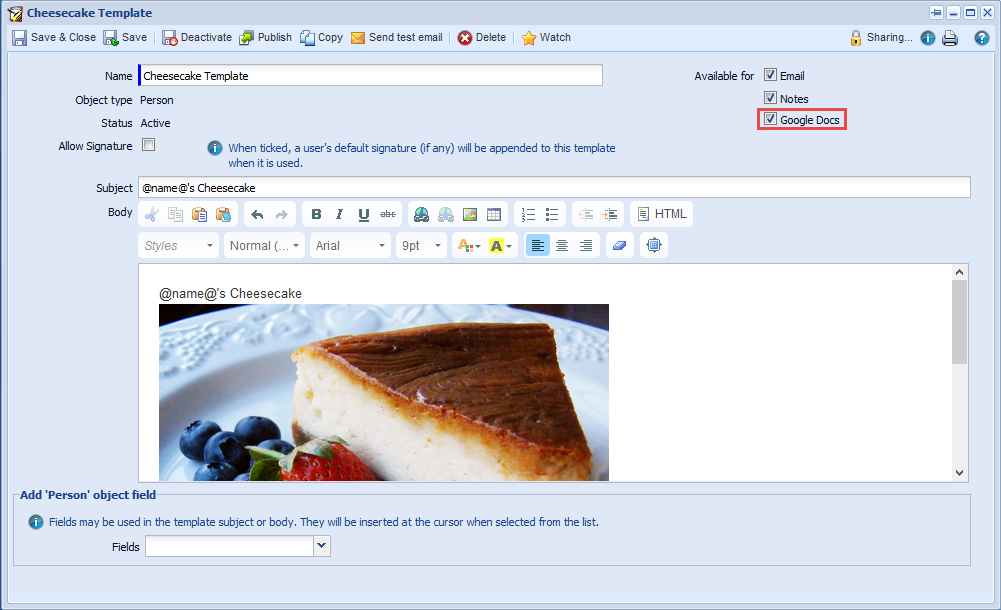
Hi Claire When you create a template (Start > Marketing > Templates > New Template) and choose either 'A specific record type' or 'A simple template' you're able to specify whether or not to make the template available for use when creating Emails, Notes or Google Docs, as shown below (click to enlarge).
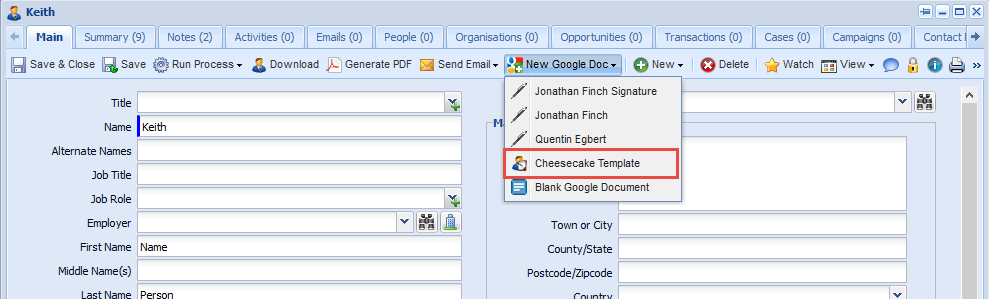
To use the template to create a Google Doc, you must login to Workbooks using Google Apps - you can find information here on how to do that. Once you've logged in using Google Apps your records will have a 'New Google Doc' button on them (this is now only on the Notes tab and not on the Main tab). Clicking on this will allow you to use any template that is available for use with that record type, you'll also be able to create a blank Google Document.
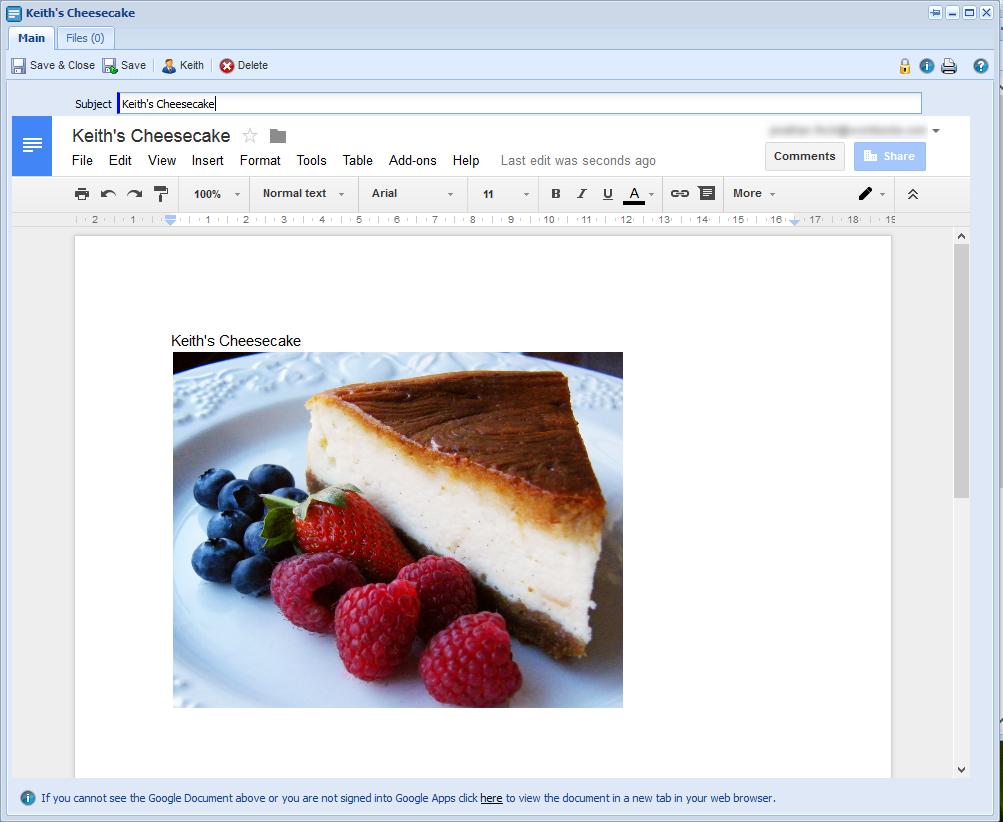
With the end result seen below, the document will now exist in your Google Docs:
This should enable you to use the template you've created, if you have any further queries please let us know. Workbooks Support |
- Log in to post comments