Don't miss out: Claim a free 90-minute CRM Success Workshop now

Workbooks CRM reports

Understand your business outcomes with CRM analytics dashboards

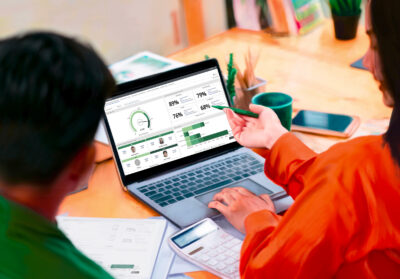
Ready to improve your sales and marketing results? Use CRM reports and clear dashboards to get the analytics you need to succeed.

Workbooks CRM reports

Data Insights

Use reports to keep on top of your customer and sales data 

Custom Reports

Build a personalized suite of reports

Reporting Snapshots

Take a snapshot of your reporting

Task Automation

Automate tasks based on reporting data 

Features

What is CRM reporting and how does it work?  

CRM reports give you insights on everything from your customers and prospects to business performance. And they highlight where you can improve your sales and marketing strategy. 

Sales teams: Use your CRM to track, monitor and improve sales 

Sales teams: Use your CRM to track, monitor and improve sales 

Find the gaps in your strategy and learn where your teams are performing well with real-time reports and sales dashboard software. 

  • Create a winning sales strategy: Get an immediate view of how your sales team is performing. Check out the value of your sales against your targets. 
  • Forecast which deals will be the most successful: Sort opportunities into committed, possible and upside to help forecast the best ones to go after. 
  • Track your progress: Easily see who opportunities are assigned to, spot where no follow-ups have taken place, and see which deals are at risk of slippage. 
  • Assess sales rep performance: View how successfully sales reps are moving opportunities through each stage to highlight any areas of improvement with CRM pipeline reports. 

Marketing teams: Track your ROI and marketing results 

Marketing teams: Track your ROI and marketing results 

CRM reports help marketing teams understand the performance of their efforts across campaigns, content and website, and know what to do next. 

  • Know which campaigns have the best ROI: Analyse your campaigns then use the insights to drive more campaign success and plan your budgets.
  • Track and shift stock: Always know your stock levels and use these insights to run a campaign to shift any excess stock. 
  • See who’s accessing your content: Track web form submissions across your site and get automatic alerts sent straight to your sales team so they can act straight away.  
  • Stay on top of opportunities: View new opportunities by month or by campaign – spot trends like greater response rates based on season.

We're recognized by G2 as a High Performer in the US, UK and EMEA.

Unlock more benefits of CRM reports and dashboards

Build a personalized suite of reports

  • Pre-built reports ready to use out of the box.
  • Easy-to-use report builder with no technical expertise needed.
  • Highly customizable to tailor fields, filters, layouts and calculations to your business needs.

Dashboards

  • Personalised dashboards to display important metrics, driving focus and productivity.
  • Combine multiple reports into a single, unified view.
  • Visualise pipeline, performance, and KPIs at a glance.

Real-time insights

  • Access live data for up-to-date, accurate decision-making.
  • Monitor performance and pipeline changes as they happen.
  • Drill into data to investigate trends or issues, react faster to opportunities and risk.

Share and export

  • Easily share reports across teams to keep everyone aligned.
  • Keep stakeholders informed with scheduled, automated reports.
  • Export to Excel or CSV for deeper analysis.

Snapshot reporting and trend analysis

  • Capture point-in-time snapshots to track performance over specific periods.
  • Analyse trends over time to identify patterns, risk or growth opportunities.
  • Make better strategic decisions with clear, data-driven context.

Automate tasks based on reports

  • Trigger actions automatically based on real-time data insights.
  • Reduce manual effort by turning reports into actionable workflows.
  • Turn insights into action to drive better outcomes.

Get a custom quote

CRM reports are available through all CRM and Business editions of Workbooks. Check out our packages and pricing to decide what works for you.

How business leaders are using Workbooks reports to drive results 

Case studies
Keeping track of stock 

Keeping track of stock 

“If a customer is buying some items in a category but not buying others within the same category, we can ask the question, why are you not buying the additional items from us? We can see what they’re likely to need more of whether that’s Tremor line or tires.” 

Chris Roessler

VP of Marketing and Advertising, Rotary Corporation

Tracking campaign success 

Tracking campaign success 

“We know which fundraising activities led to which donations, whether it is a challenge event or any of the many other activities organized by our local groups to raise funds and boost our profile. This allows us to focus future efforts on the methods we know will be most successful.” 

Brendan Harris

Director of ICT, Coeliac UK 

Meeting KPIs 

Meeting KPIs 

“Workbooks has also made it much easier for XPS to produce reports that track key KPIs which are then easily reportable to the XPS Group board.”

Charlotte West

Head of Employee Engagement, XPS Group

Frequently Asked Questions

What is a CRM report? 

In its simplest form, a CRM report can show you information about your sales, customers, marketing and business performance. You’ll be able to create reports to get insights into these areas and view the data in a CRM analytics dashboard to spot trends and view information that helps you adapt your strategy.

What are some examples of CRM reports? 

We’ve put together a list of handy CRM reports that you can run using Workbooks here.

What can snapshot reporting show me? 

  • Use snapshot reporting to manage: Your pipeline: Compare your current pipeline to this time last year or this time last month
  • Open cases: See how many cases you have open at any time
  • Contract ARR: View how your ARR has changed over time for insights into your expansion and churn

See the no bullsh*t CRM in action

Want to see what a CRM looks like without a sales pitch? Guide yourself through Workbooks with our interactive demo. No data or details needed to get started. Prefer to talk to someone? Request a demo instead.