









Creating new databases
There are times when you need more that one database such as for training or testing. Within Workbooks, you can have up to 5 databases and you can see what databases you have and whether they are available or archived by navigating to Start > Configuration > Account Settings > Databases
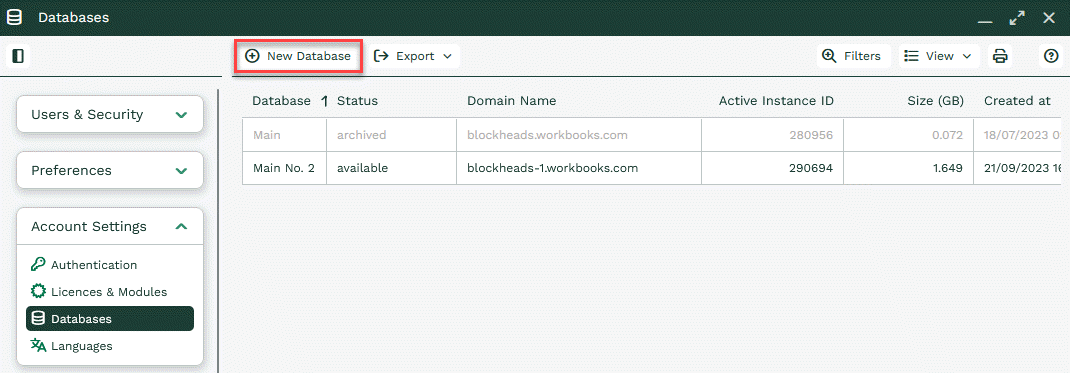
There is an option to create a new database. This will open the following window.
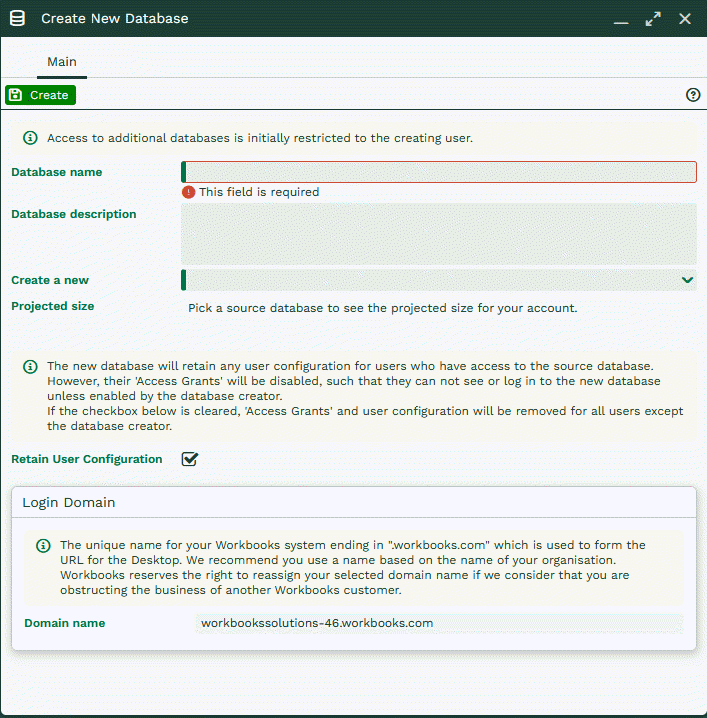
Note: Creating a new database will use your storage allowance. For more information see our page on Storage Usage here.
There is the option to name the new database and give it a description. The ‘Retain User Configuration’ retains the default Own Organisation and any user groups that have been created but does not give users access to the database.
A Domain can also be given which is used to access the new database.
The ‘Create a new’ dropdown allows you to select if you want to copy an existing database, create a blank one or create a copy of the Workbooks Demo database.
When creating a copy of an existing database, a new section will appear.
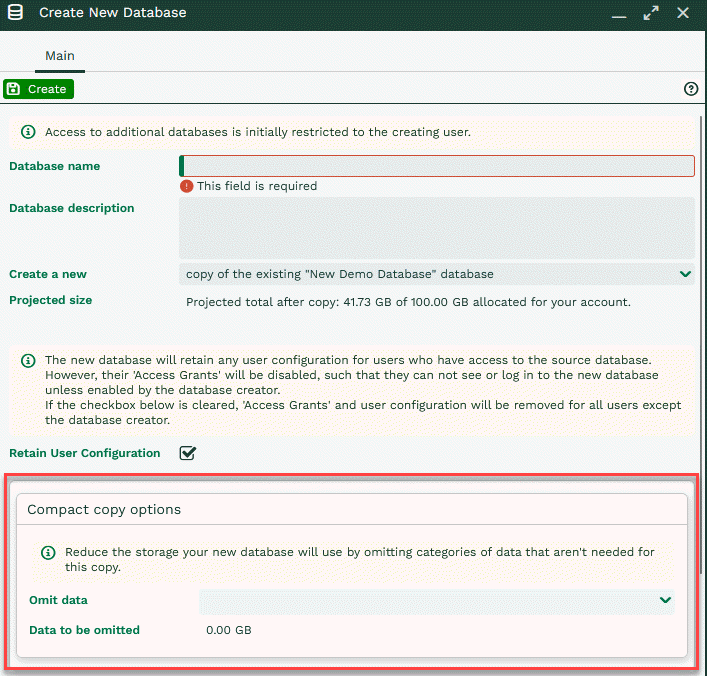
The ‘Compact copy options’ allows you to choose not copy Audit data, Email content, Online Activities or Import jobs to the new database to assist with saving Storage space.
It also displays in GB how much data will be omitted.