









Event Products
The Products tab on an Event lets you create Products that are unique to that Event. These can be anything from ticket bundles or tables to discounted rates for specific attendees.
Note
Like all Products, you can apply Pricing and Supply Schemes to them, as well as tax codes for international purchases.
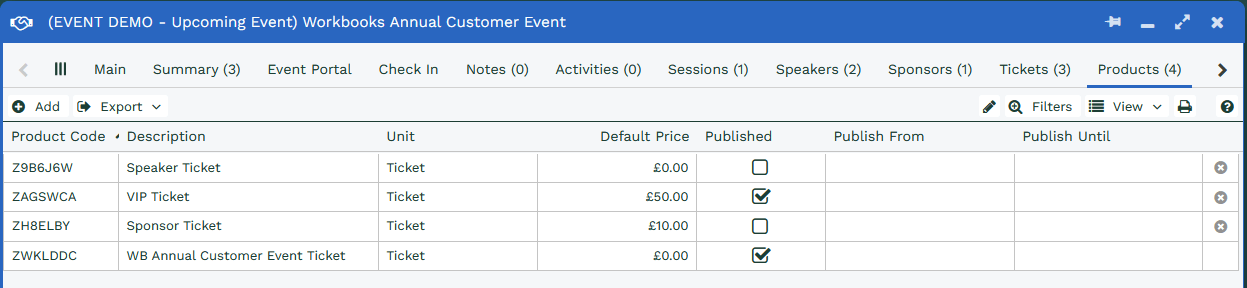
To create a Product, click Add on the Products tab. You’ll notice that Event Products look slightly different from other Products in Workbooks, as a number of extra fields are available.
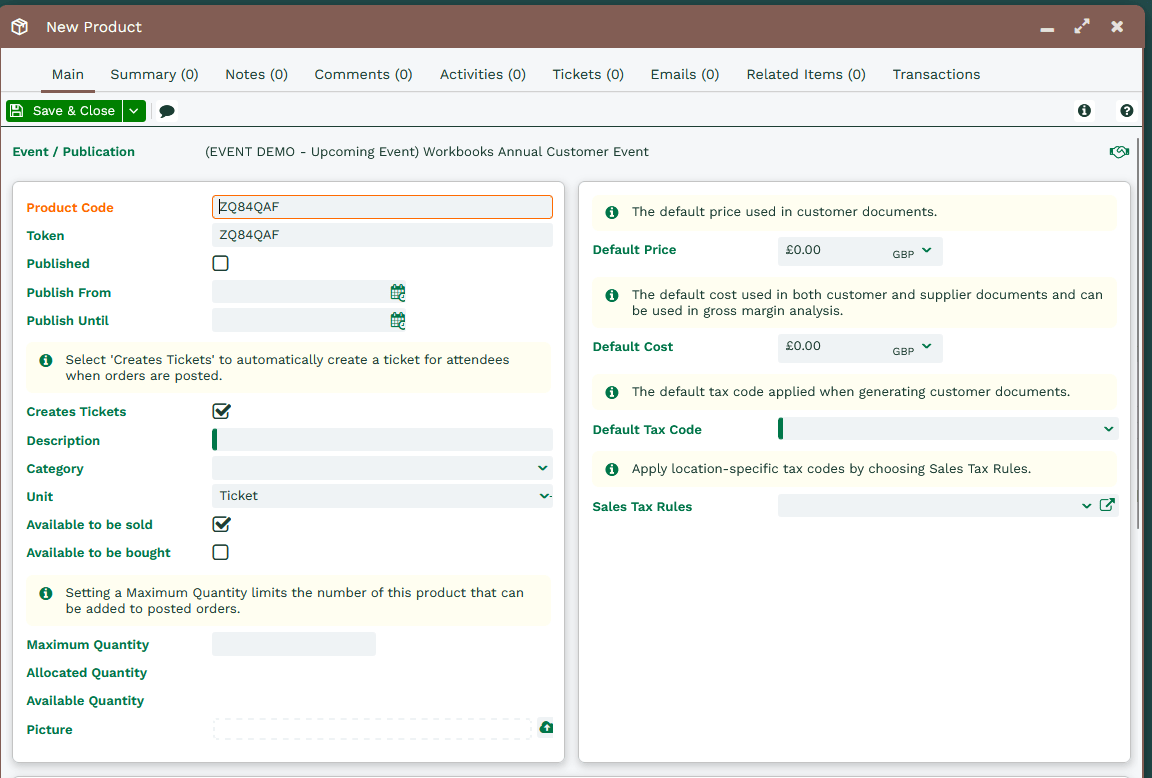
When you create a Product from an Event, the Event / Publication field is automatically populated with the name of the Event.
Event Product fields
- Published: When checked, the Product is available to purchase in the Event Portal.
- Publish From and Publish Until: Use these if you want to limit when the Product is available, for example “early bird” tickets at a reduced rate.
- Creates Tickets: When checked, the appropriate Tickets for the Event are created automatically once the Product has been purchased and the Order has been posted.
- Description: The Product description that attendees will see in the Event Portal.
- Maximum Quantity: If you only have a limited number of a Product available, you can set a Maximum Quantity. This is pulled into the Event Portal so the Product can’t be oversold.
- Allocated Quantity: How many of the Product have been purchased through the Event Portal. This only updates once the Order has been confirmed and posted.
- Available Quantity: The remaining quantity that’s still available to sell.
- Token: A unique identifier for each Product. You can use it to set up special discounts or hidden Products, meaning a Product that isn’t published to everyone and is only available to people who enter the token in the Event Portal. By default, this is set to the Product Code, but you can replace it with any other token.
Note
Tokens have a 7-character limit, which can't be exceeded.