













HTML Editor
Workbooks allows you to enter content using a rich HTML Editor. This provides you with the ability to format text, define font sizes, font styles and colours in a similar way to a word processor.
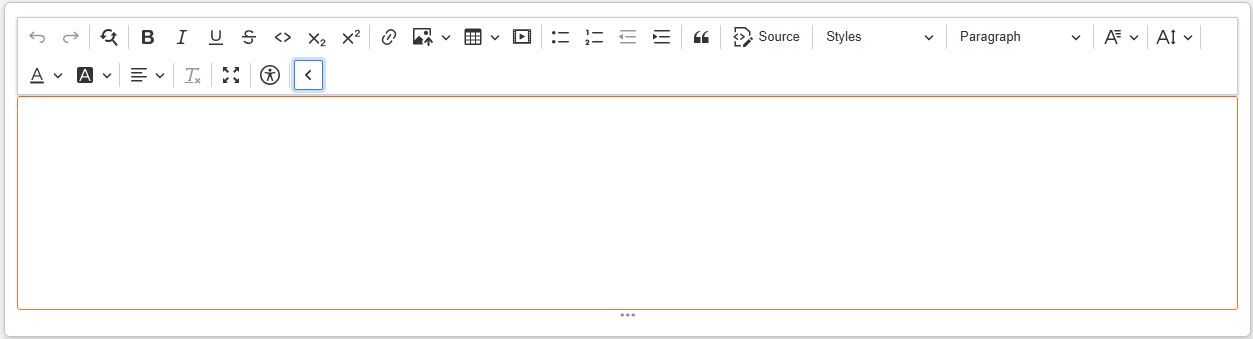
The HTML Editor also allows you to:
- Enter values as HTML by clicking the ‘Source’ button on the expanded toolbar.
- Store images from your device, the Upload library, or from a URL.
- Embed media from supported websites, including:
- Dailymotion
- Spotify
- YouTube
- Vimeo
- X
- Google Maps
- Flickr
- Accessibility shortcut.
- Find and replace text.
- Choose between different block and text styles.
- Insert tables.
- Hold up to 65,536 characters
The HTML Editor is actually creating HTML code under the covers so it’s possible to edit the underlying HTML code by clicking the SOURCE button. This way you can create your own HTML content or copy it in from another source.
Keyboard Shortcuts
While editing text some keyboard shortcuts make it easier to edit text, without needing to use the toolbar.
| control+B | Make selected text Bold |
| control+I | Make selected text Italic |
| control+U | Make selected text Underline |
| control+L | Make selected text a Link |
| control+Z | Undo |
| control+Y | Redo |
| alt+shift+0 | Insert the user’s name, and the current date and time. (This also works in plain text areas). |
| alt+shift+1 | Make selected text Subscript |
| alt+shift+2 | Make selected text Superscript |
Read more about Rich Text behavior here