









Deleted Items
Deleted Items offers users a way to recover records that were deleted within Workbooks or via a Process. These can be accessed from the Start Menu from Start > Deleted Items. You are able to Recover a number of different Record Types from People to Transaction Documents and Reports.
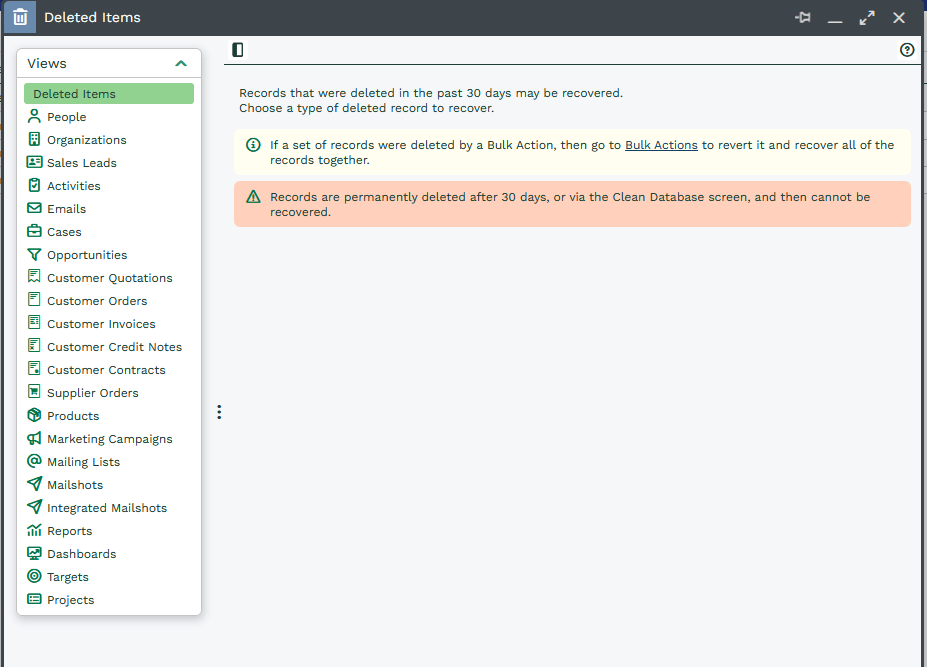
If you delete a Record Type that is mentioned in the image above it will be soft deleted, you will be able to go into the deleted items and recover the deleted Record. Once this type of Record has been in Deleted Items for 30 days or a database cleanup has been ran it will be removed from Deleted Items, it will be hard deleted and you will no longer be able to retrieve the Record.
If you delete a record type that is not mentioned in the image above it will be hard deleted and you will no longer be able to retrieve the Record.
Accessing Deleted Items
Accessing Deleted Items is Capability Controlled, there are a total of 45 Capabilities that are used but break down into the following categories:
View deleted Record – This Capability controls whether Deleted Items will appear in the Start Menu or not
View deleted Record Types – There are 22 of these Capabilities each for a different Record type, they control whether or not this specific Record can be viewed by a User within Deleted Items.
Recover deleted Record Types – There are 22 of these Capabilities each for a different Record type, they control whether or not this specific Record can be restored by a User.
Granting users the ability to view and restore specific record types lets you control which non–System Administrators are able to recover deleted records.
Note
Users will only be able to see Deleted Items that were shared with them.
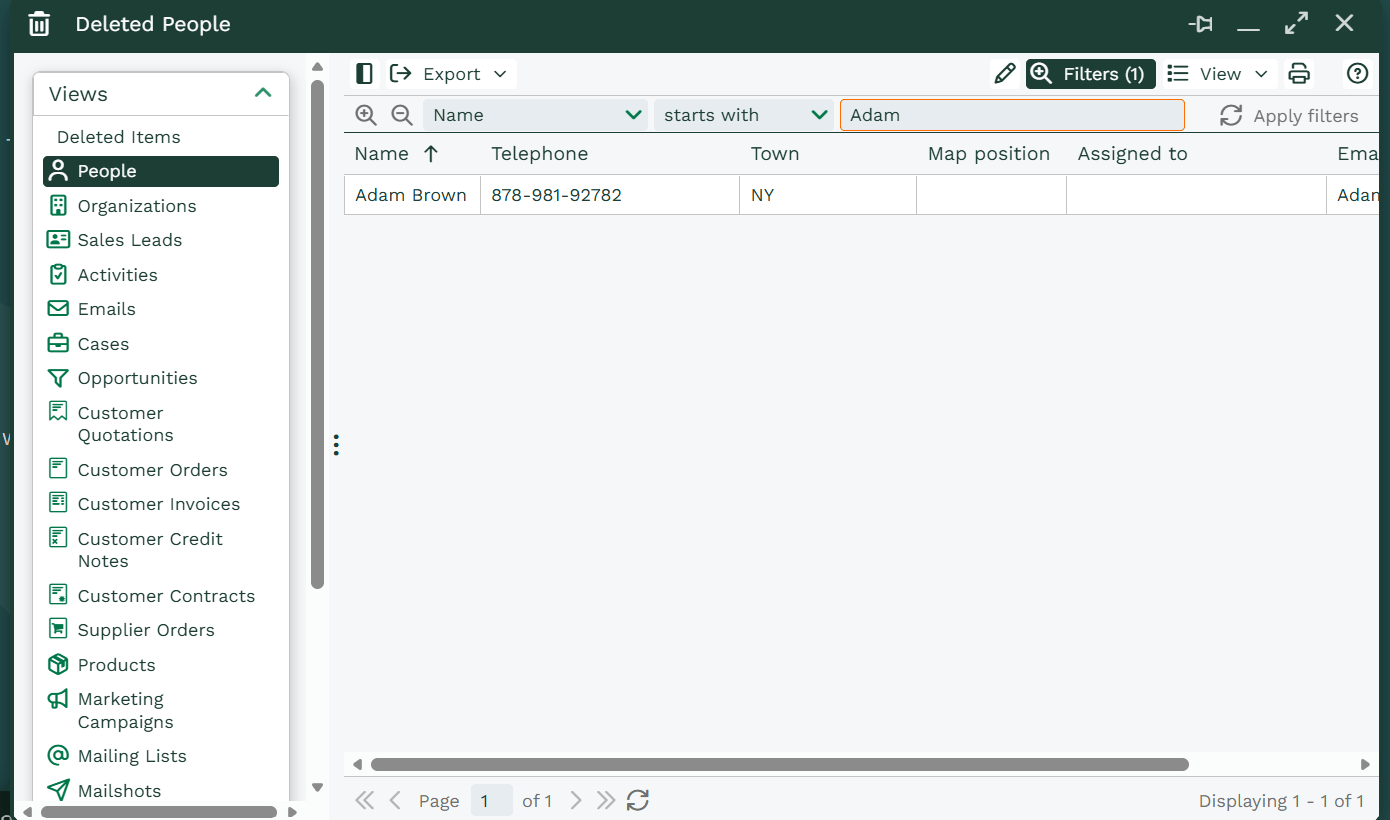
Once you have found the Record, you will need to select and open it. This creates a new dialogue box that provides you with the record’s information such as its Object Reference, Record Description, who deleted it and when it was deleted.
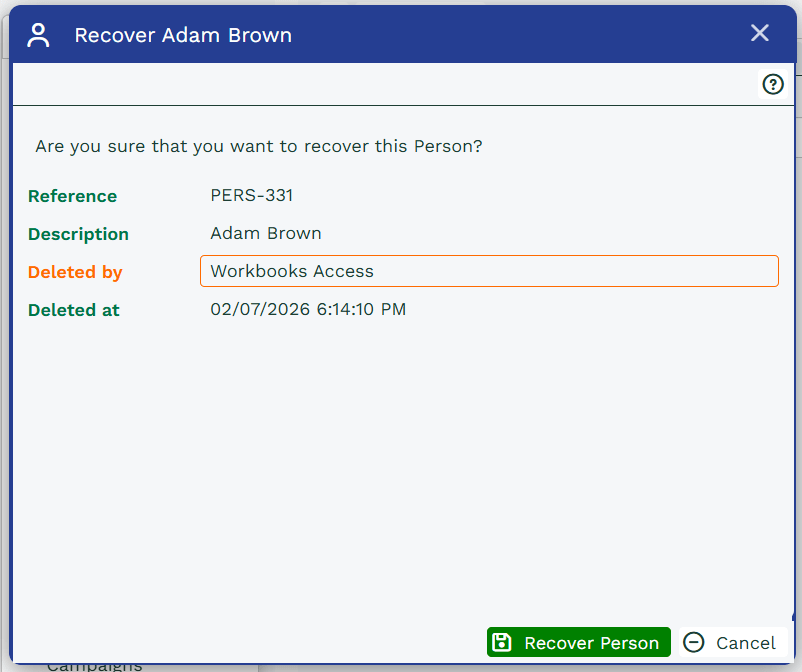
Simply select the Recover Record button and the Record will open automatically and be fully restored within your database.
If you do restore a task, for example, and the Primary Contact has since been deleted, it will restore the task but will no longer have a Primary Contact assigned to it.