









Creating Compliance Records
Compliance Records allow you to track the lawful grounds under which you process an individual’s personal data, helping you support GDPR and similar data‑protection obligations. Before creating any Compliance Records, ensure the Compliance Module is enabled in your Workbooks configuration.
There are several ways to create compliance records:
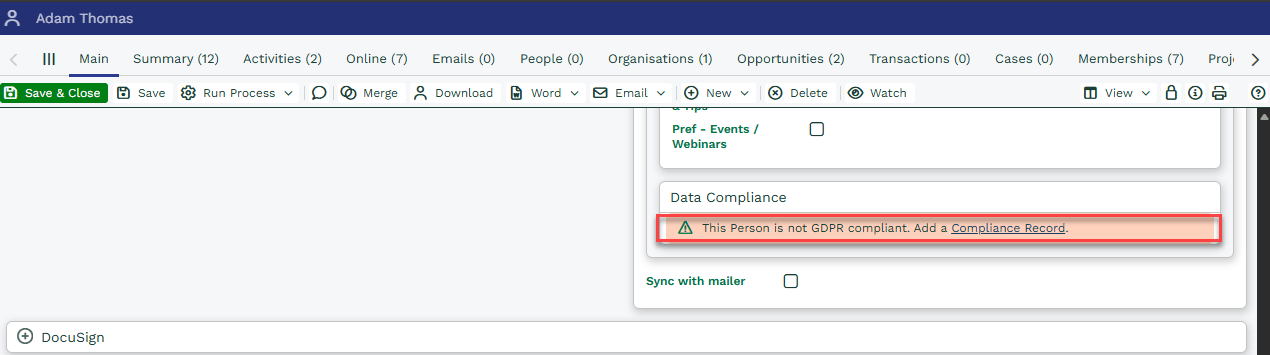
- Manually: From a Person or Lead record that is not yet GDPR compliant, simply click Create Compliance Record. This is ideal for one‑off updates or when reviewing individual records.
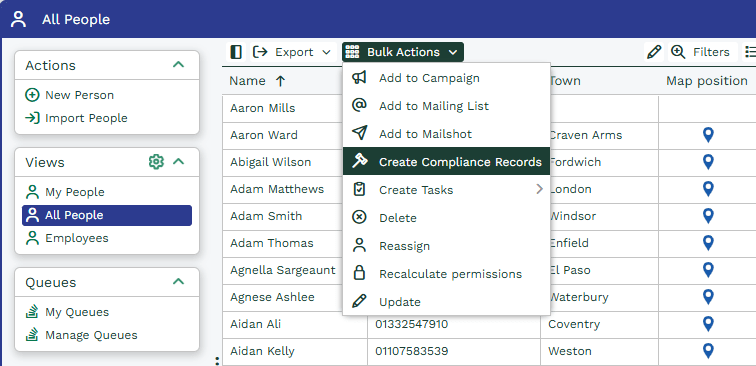
- Bulk Action: Use Bulk Action on the People or Leads Landing Pages to create Compliance Records for many individuals at once. This is useful when updating large datasets after policy changes or mass consent campaigns
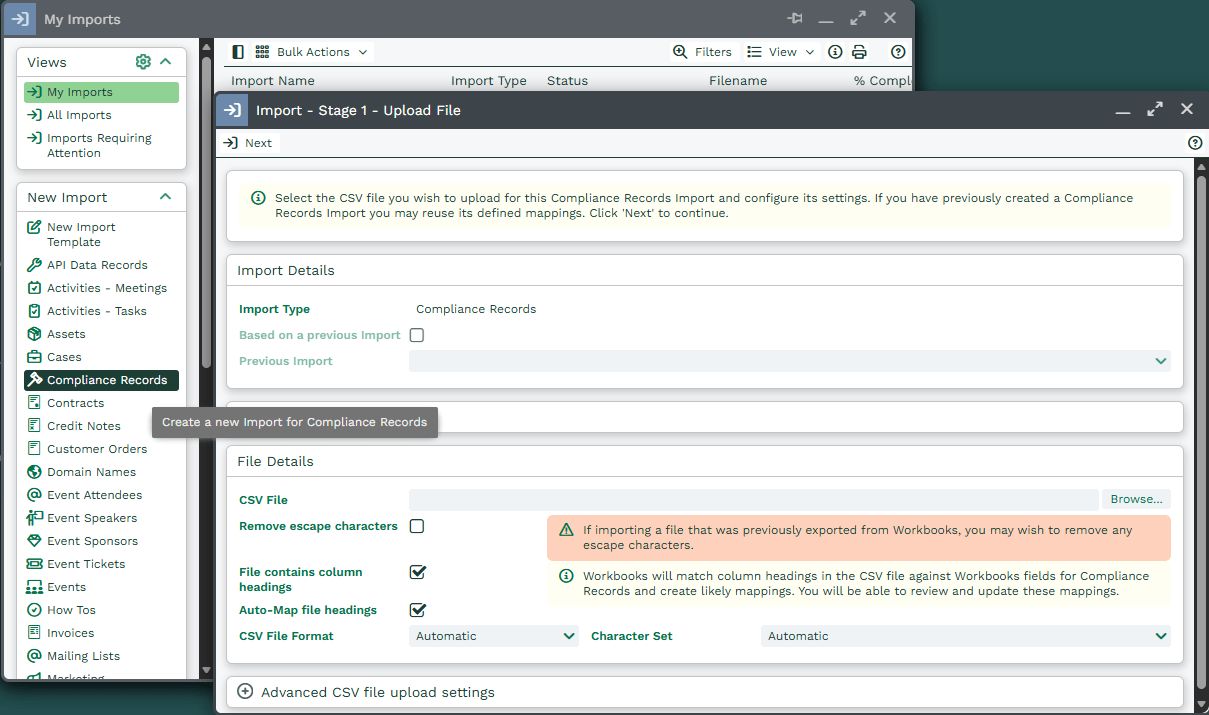
- Import: You can import Compliance records using the import tool. This can be done by either creating a Compliance Import, or by creating a Person or Lead Import and extending your import to Compliance Records. This is helpful when migrating data from legacy systems or consolidating datasets.
Creating Compliance records via Import
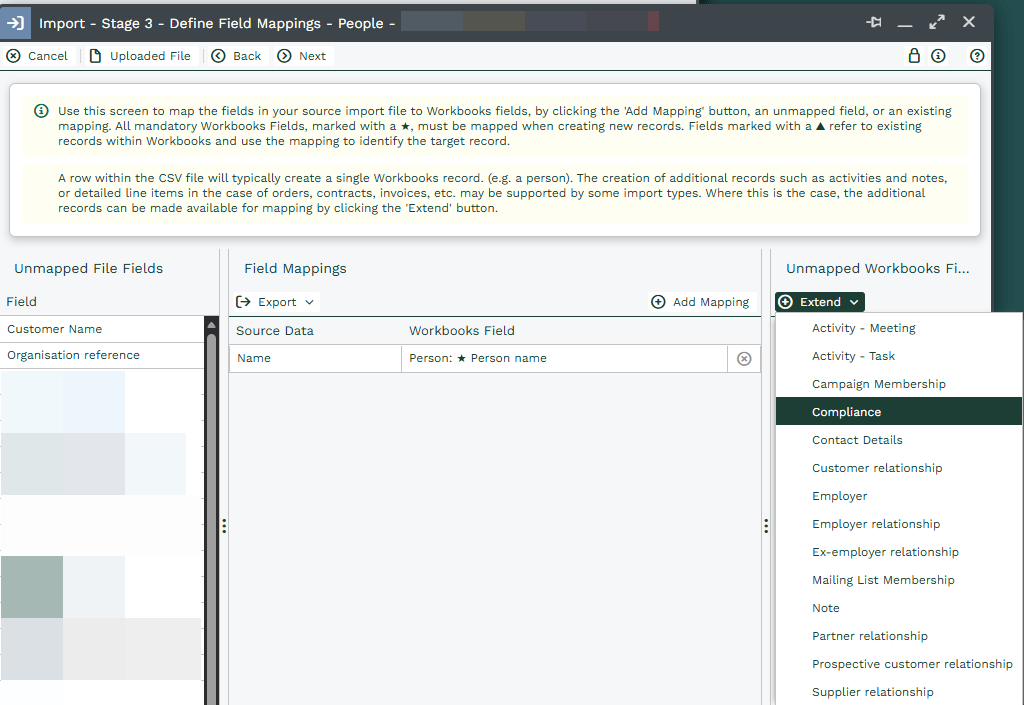
Extend a Person/Lead Import to create Compliance records.
- Web2Lead: The Web2Lead features of Workbooks have been extended to support the creation of Compliance records. Once the Compliance Module is enabled, you can regenerate your Web2Lead form, which will now contain the fields required for Compliance records. When adding this new form to your website, you can apply default values to the new fields and then hide them from the form, so that each time the form is submitted, these fields are set consistently.
- Automation: You can build a script that automatically creates Compliance records. For example, you might automatically create a Compliance record for all People in your database that have an active Customer Relationship with your Own Organisation.
- API & Web Processes: Developers can create Compliance Records using:
- The Workbooks API
- Web Processes triggered by forms or JavaScript
Ideal for integrating Workbooks with external systems or custom workflows.