









Exchange Rates
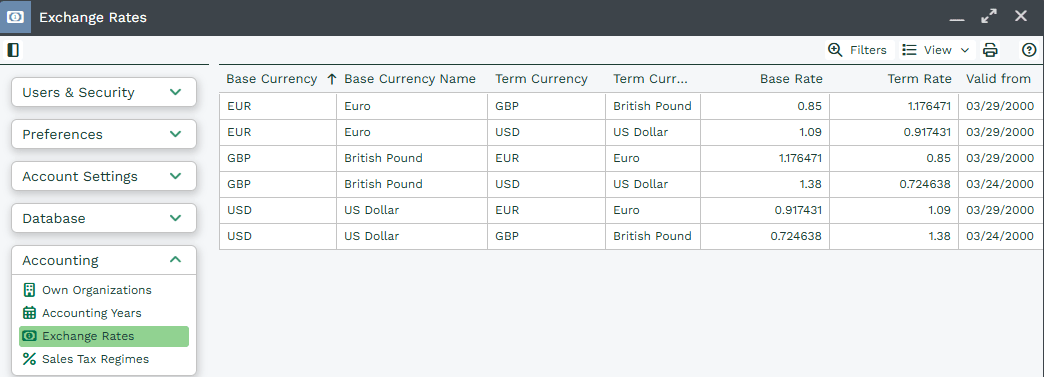
If your Organization trades in more than one currency, Workbooks allows you to create transaction documents in foreign currencies and control the exchange rates applied to them. Exchange rates are used to convert foreign currency values into your home currency, enabling consistent reporting across the system.
Note
In order to create and use multiple currencies you must have the Multi-Currency Extension for all Users, and the Multiple Currencies Module must be enabled.
Managing Exchange Rates
Exchange rates can be updated as often as required – daily, weekly, monthly, or on an ad‑hoc basis. Each exchange rate applies to a specific date range, and Workbooks automatically selects the correct rate based on the document date.
Example:
- Exchange Rate A applies from 1–15 December
- Exchange Rate B applies from 16–31 December
A transaction dated 10 December will use Exchange Rate A, while a transaction dated 16 December will use Exchange Rate B.
Exchange rates can be set manually or updated using Market rates via external accounting integrations.
When a Transaction Document is changed from a DRAFT state to POSTED, the Exchange Rate in place at the time (based on the document date) will be applied. This Exchange Rate will not change unless a User with the necessary Capability to edit a POSTED transaction changes the document date.
Note
Opportunity records do not have the concept of Draft and Posted states. They will use the Exchange Rate related to the Close Date at the time the Close Date is selected.
If the Close Date is changed to a date where a different Exchange Rate applies, the Exchange Rate for the new period will be applied. However, if the Close Date is not changed but the Exchange Rate for the relevant period is changed, the Exchange Rate will remain as per the one in place when the original Close Date was set.
Line Items in a Third Currency
Where Line Items are added to Transaction Documents whose price in the product book is in a third currency (ie, neither the Home nor the Document currency), Workbooks converts these values into Transaction Document currency, based on the exchange rates prevailing at the time. Therefore these values:
- Are calculated when the Line Item is added
- Are not recalculated, even when the document is POSTED
This should be taken into consideration before Posting (completing) the document.