









Workbooks Customer Hub
Here’s information on the Workbooks Customer Hub, including:
What is the Customer Hub?
The Customer Hub is your central destination for getting the most value from Workbooks. It brings together a range of resources and services in a single location, making it easier to access support, find answers, learn new skills, manage your account and stay up-to-date with the latest Workbooks developments.
Whether you’re looking for guidance on how to use Workbooks, need to raise a support case, want to review your account information, purchase additional licences or submit product enhancements suggestions, the Customer Hub provides a simple and convenient way to do so.
What's Available in the Customer Hub?
The exact tiles and options available to you may vary depending on your role within your organisation and the permissions assigned to your account.
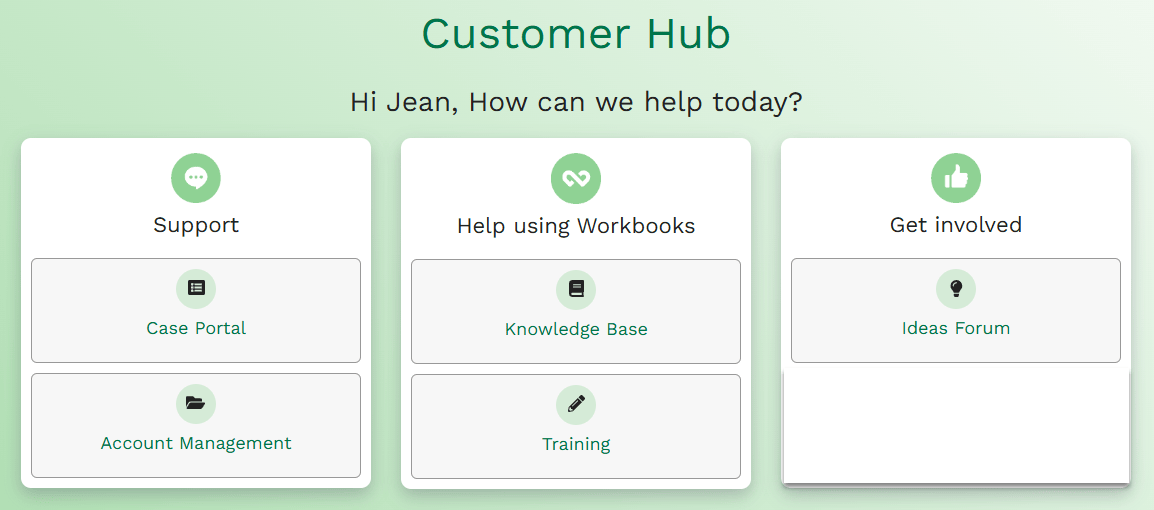
Case Portal
Provides access to the Case Portal where authorized users can:
- Raise Support Cases
- View open Cases
- Review closed Cases
- Update existing cases
- Track progress against Support requests
Access to the Case Portal is restricted to your organization’s Authorized Support Contacts (ASCs). You can find out more about ASCs here.
Your Workbooks Account
The Account Management area provides useful information about your relationship with Workbooks, including:
- License information
- Storage information
- Support contacts
- Contact details for your Workbooks Account Manager
- Support statistics
- Ordering additional licenses
Access to the Account Management section is restricted to your organization’s Authorized Support Contacts.
Knowledge Base
The Knowledge Base (KB for short), contains a wide range of helpful articles and resources, including:
- Product documentation
- Hints and Tips
- Configuration information
- Product updates and release information
The Knowledge Base is available to all Customer Hub users.
Training
The training area helps users develop their knowledge of Workbooks through:
- Training videos
- Recorded webinars
- Best practice guides
This section is available to all Customer Hub users.
Ideas Forum
The Ideas Forum area allows you to help shape the future development of Workbooks by:
- Submitting enhancement ideas
- Reviewing ideas submitted by others
- Voting on ideas you’d like to see prioritised
- Following progress and updates
This area is available to all users of the Customer Hub.
How Do I Access the Customer Hub?
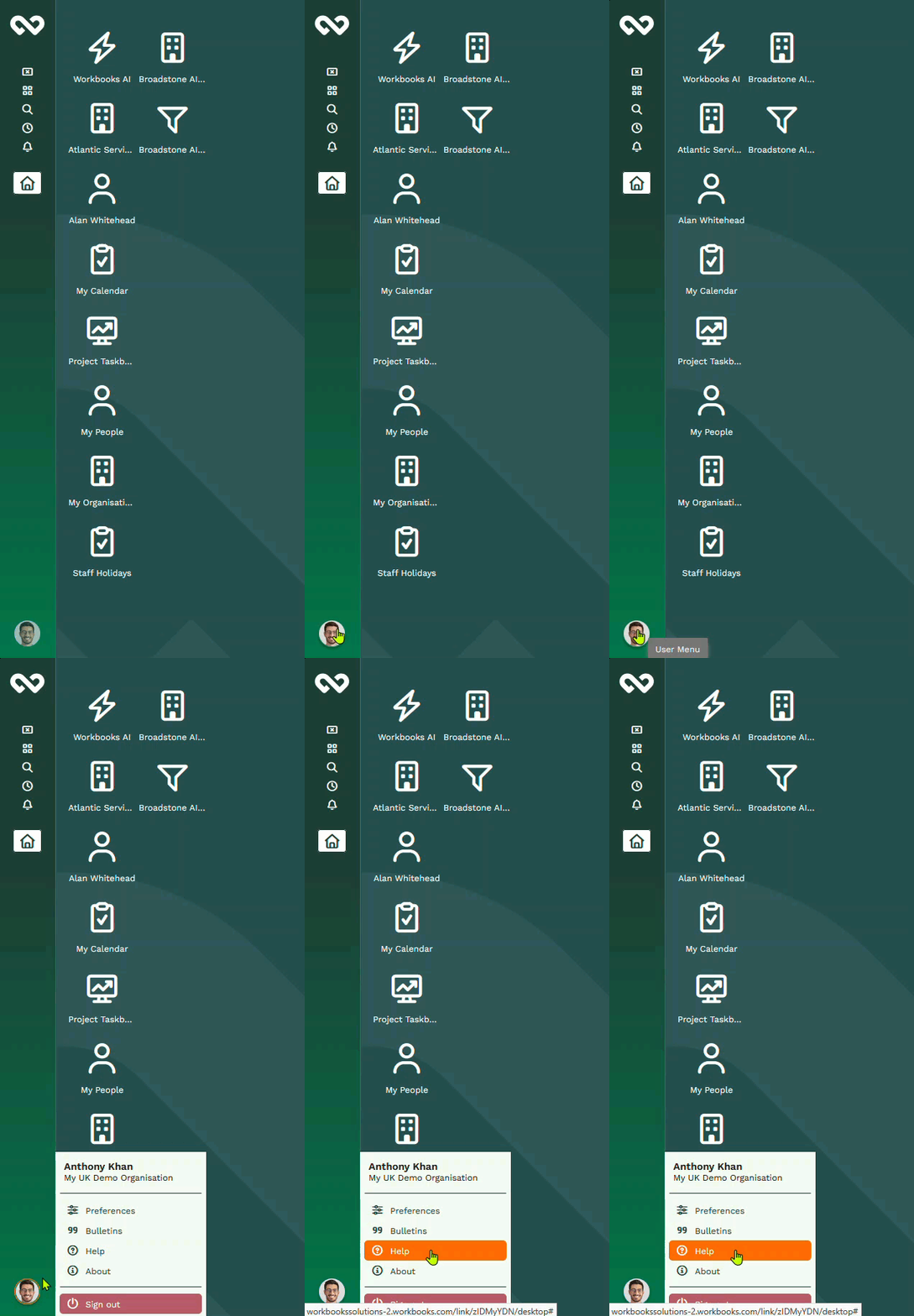
The Customer Hub is accessed directly from within Workbooks by:
- Logging in to Workbooks
- Selecting the Help option on your User menu. This automatically opens the Hub and shows you the areas you have permission to access.
If you believe you should have access to an area that is not currently visible to you, please contact one of your Workbooks Authorized Support Contacts or your Workbooks Account Manager and ask them to raise a case with the Workbooks Support team.