









Accessing the Plugin
To install the Event Management plugin, go to Start > Configuration > Automation > Plugins and click Add Plugin. In the Plugin dropdown, choose Script Library, then select Event Management and click Install.
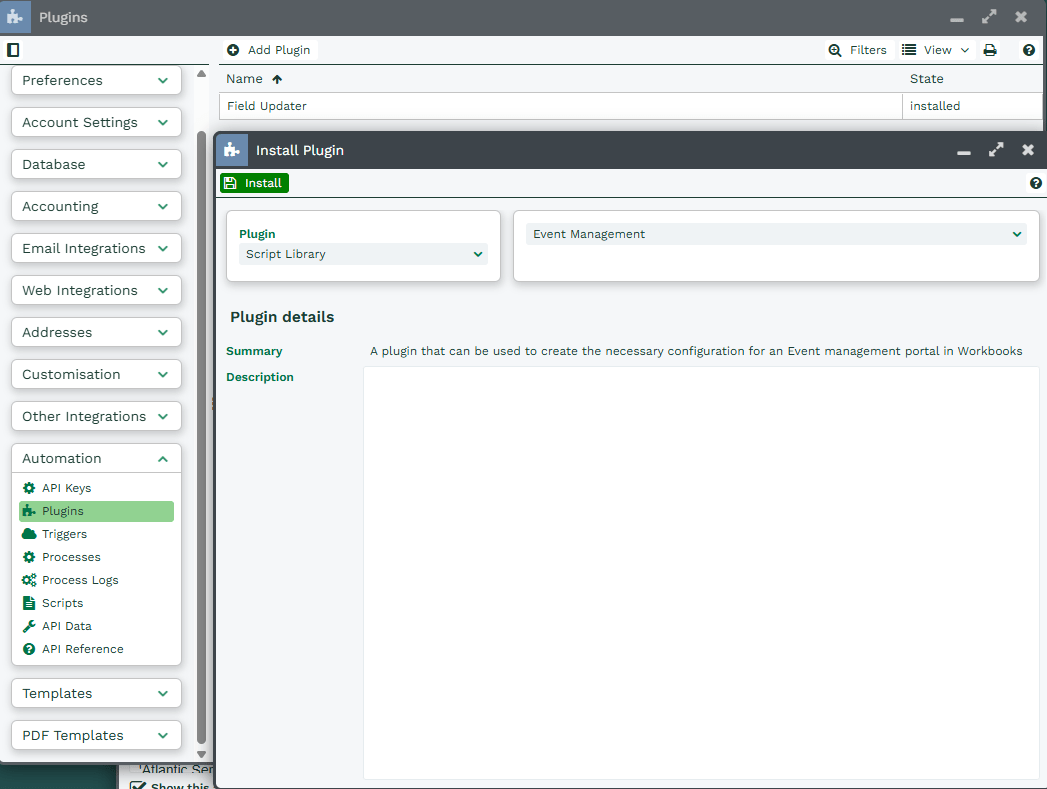
This launches the plugin’s Install Wizard. You’ll need to complete it fully, as it sets up all of the underlying Scripts, Processes and configuration that your new Event Portal needs to run. For a walkthrough of each step, see Installing the Event Management Portal.
Uninstalling the Plugin
To uninstall the plugin, go to Start > Configuration > Automation > Plugins and select the Event Management plugin. Then click Uninstall in the top-left corner.
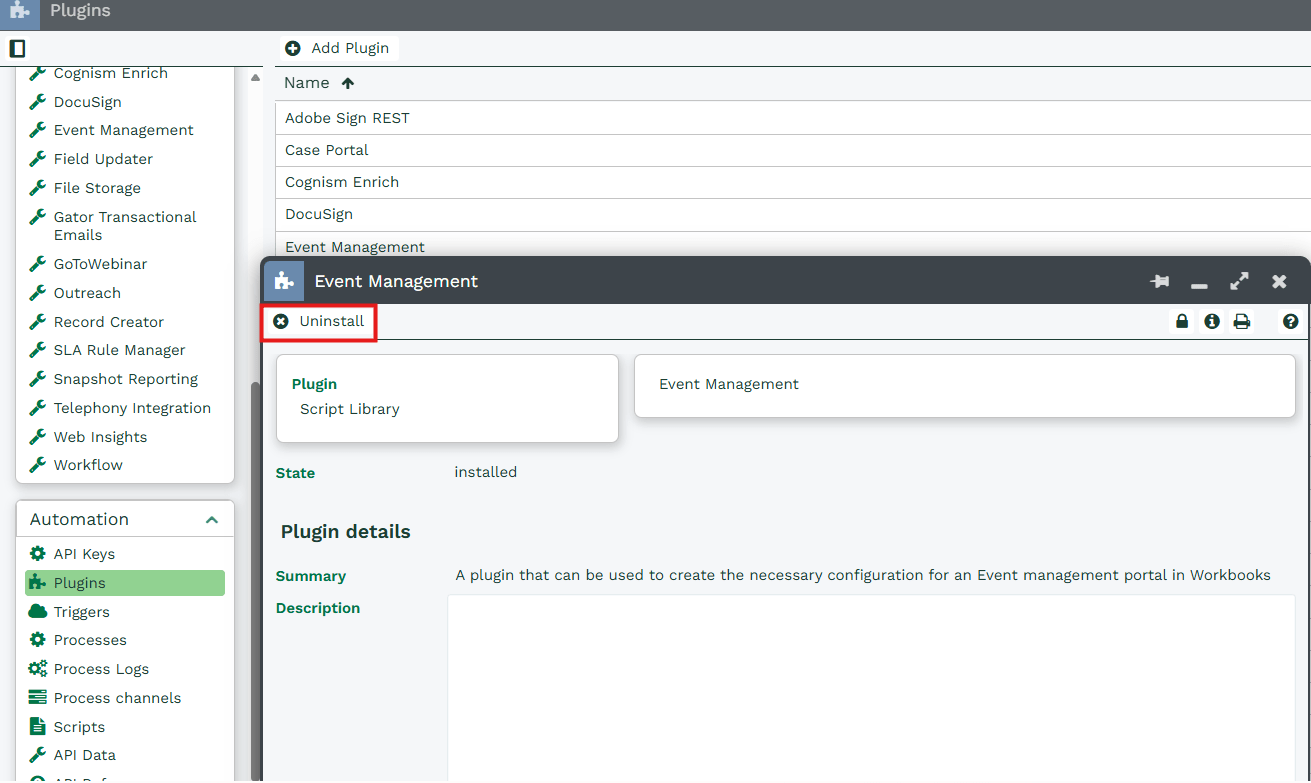
You’ll then be asked “Are you sure you want to uninstall the Event Management plugin?” Click Yes to confirm or No to cancel. If you want to reinstall the plugin later, just follow the steps above again.