









Workbooks AI Context
Within Workbooks AI Context, you can provide Workbooks AI with information about your organisation, terminology, and processes. This helps the AI understand your business and provide more accurate, relevant, and tailored responses.
Workbooks AI uses Guides (Start > Configuration > Workbooks AI > Guides) to provide reusable information and instructions to Agents and conversations. Guides are Markdown-based and can contain business information, terminology, instructions, or other resources that the AI should use when responding.
Business Information and Business Glossary are examples of Guides that can provide organisation-wide context. You can also create additional Guides for specific business processes, teams, or use cases and assign them to the Agents that need them. Both of these can be accessed within ‘My Guides’ or within the Settings tab:
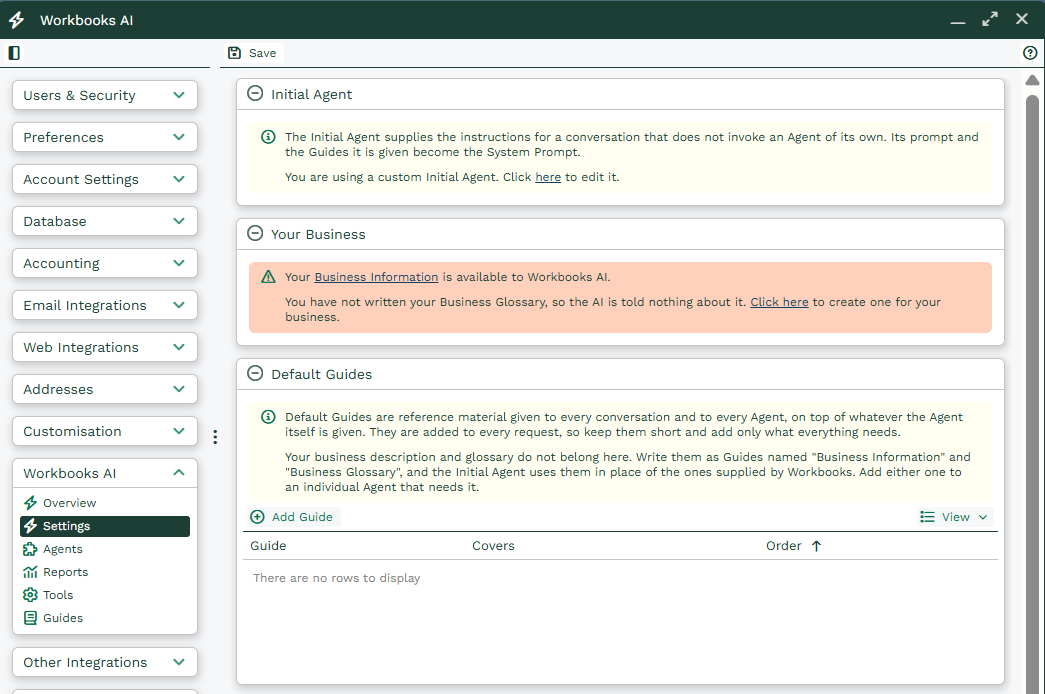
By supplying clear and structured information, the AI can interpret questions within the context of your specific business operations and deliver guidance that aligns with your internal processes.
Business Information
The Business Information Guide is used to provide general details about your company, helping Workbooks AI understand how your business operates. Including detailed and well-structured information enables the AI to return more relevant, tailored, and actionable responses.
Examples of information you may wish to include:
- Products or Services Offered: A description of your core offerings, product lines, or service types.
- Key Processes: Important workflows or standard procedures such as sales cycles, customer onboarding, ticket resolution processes, or account management practices.
- Departments, Teams, or Roles: An overview of your organisational structure, including departments, teams, and key responsibilities.
- Customer Information: Details about your customer base, including how customers are classified or segmented and how their value or size is measured.
You can also reference specific report views within Workbooks, provided they are categorised under Workbooks AI. This allows the AI to pull additional context directly from relevant reports. For more information, see the Workbooks AI Reports page.
Tip: The more structured and complete your business information is, the more accurate and useful the AI’s responses will be. Where possible, include examples, typical scenarios, and internal terminology that help clarify how your organisation operates.
Business Glossary
The Business Glossary Guide is used to define company-specific terms, abbreviations, and jargon that may not be universally understood. This ensures Workbooks AI interprets your terminology correctly and avoids ambiguity or misunderstanding.
Examples of terms to include:
- Abbreviations: Commonly used shortened terms or acronyms within your organisation.
- Internal Tools or Processes: Names of systems, workflows, or internal methodologies unique to your business or internal methodologies.
- Product Names or Service Packages: For example, “Enterprise Plus Plan” or “Customer Success Toolkit”.
- Industry or Role-Specific Terms: Any terminology that has a specific or non-standard meaning within your business or sector.
Maintaining a clear and up-to-date Business Glossary improves the AI’s ability to provide contextually accurate responses and ensures consistent interpretation across all queries.
Guides
Guides allow you to provide Workbooks AI with reusable resources and instructions for specific purposes. A Guide can contain business information, terminology, processes, instructions, or other context that an Agent may need when performing a task.
Guides can be assigned to individual Agents, allowing you to provide only the information relevant to that Agent. For example, you could create a Guide containing your organisation’s sales process and assign it to an Agent used for creating opportunity summaries.
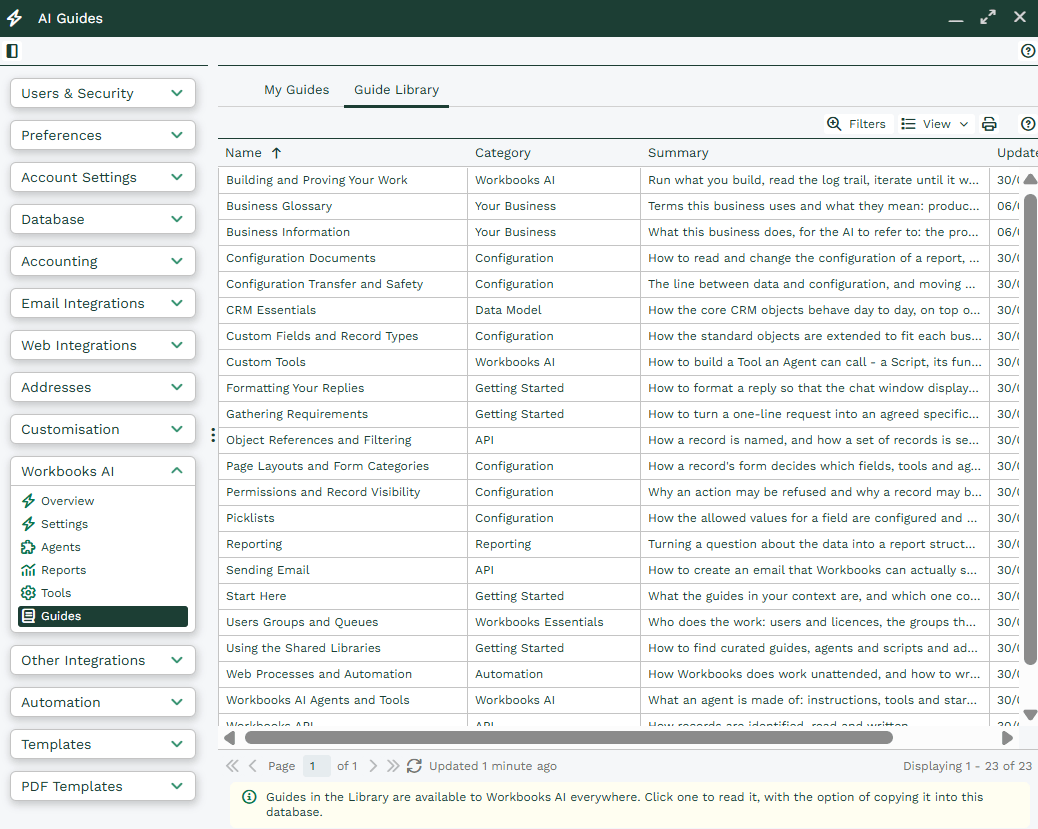
The shared Guide Library contains reusable Markdown Guides covering areas such as configuration, data models, permissions, reporting, automation, and Workbooks AI. Guides can be edited in the library or copied into a database if you need to make local changes.
Default Guides
Default Guides are supplied to every conversation and every Agent. They should therefore be kept short and limited to information that is relevant to all Workbooks AI interactions.
For information that is only relevant to particular Agents or use cases, create a named Guide and assign it where required. This avoids adding unnecessary information to every request and can help reduce AI usage.
Guides and Agent Context
When Guides are assigned to an Agent, they form part of the Agent’s system context alongside the Agent’s instructions. This provides the Agent with the relevant resources and instructions when it starts.
An Agent can also optionally prefetch information before the first turn of a conversation. A read-only tool can be run at startup to retrieve known information and place it into the Agent’s initial context.
For example, an Agent launched from a particular record type could prefetch information about that record type before the user sends their first message. This can avoid an additional tool-call turn when that information is required.
Context prefetch uses additional tokens and may take some processing time, so it should be used where having the information available at the start of the conversation is beneficial.
For more information on Guides, please see this page.