









Introduction to the Event Management Portal
The Event Management Plugin forms part of the Workbooks Event Management package. The Plugin lets you set up and install a portal through a step-by-step wizard so your Events can be hosted online. Once it’s online, potential Attendees can view all of your published upcoming Events, whether they’re taking place online, locally or overseas.
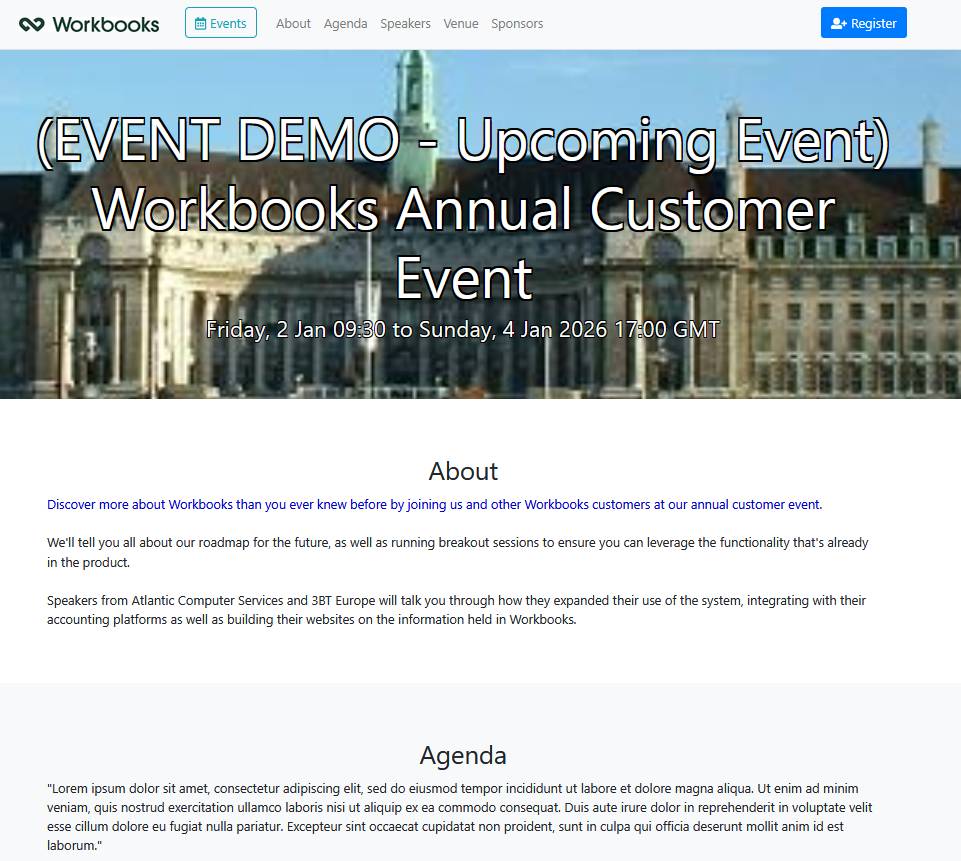
Attendees can purchase Tickets for Events directly within the portal, and payment can be taken via Stripe. This generates Orders and Invoices in Workbooks, which can be sent directly to Attendees before the Event.
Free & Paid Events
Not every Event needs paid Tickets, even when a payment gateway has been configured for your Event Portal. Free Events give Attendees a quicker sign-up process, because order details don’t need to be configured as part of their Ticket purchase.
You can set up a Free Event in one of two ways:
- Select None as the Payment gateway option within the Parameters when setting up your Event Portal. Without a payment gateway, every Event you create will be a Free Event. If you do this and then create a Product with a price for an Event, it won’t appear in the Event Portal.
- Ensure all Event Products have a price of zero. If all of the Products linked to an Event are free, it will become a Free Event.
Although the sign-up process is quicker for Attendees, Orders are still created in Workbooks. This means you can monitor them as part of the Event’s progress and track Ticket sign-ups.