









Managing Budgets with Sub Tasks
With the introduction of hierarchical tasks in the Projects module, Workbooks now supports budget roll-ups across parent and child tasks. This allows Project Managers to decide whether budgets are managed at a high level or tracked in greater detail across sub tasks.
Note
NOTE: A task hierarchy can only have one active budget along any path through the task structure. A task can either have its own budget, inherit a budget from a parent task, or have no budget at all.
Understanding Budget Hierarchies
Every task in a project falls into one of three categories:
- Has its own Budget.
- Uses a budget inherited from a Parent Task.
- Has no Budget associated with it.
This allows Project Managers to decide how budgets should be managed within the project structure.
Managing a Budget at Parent Task Level
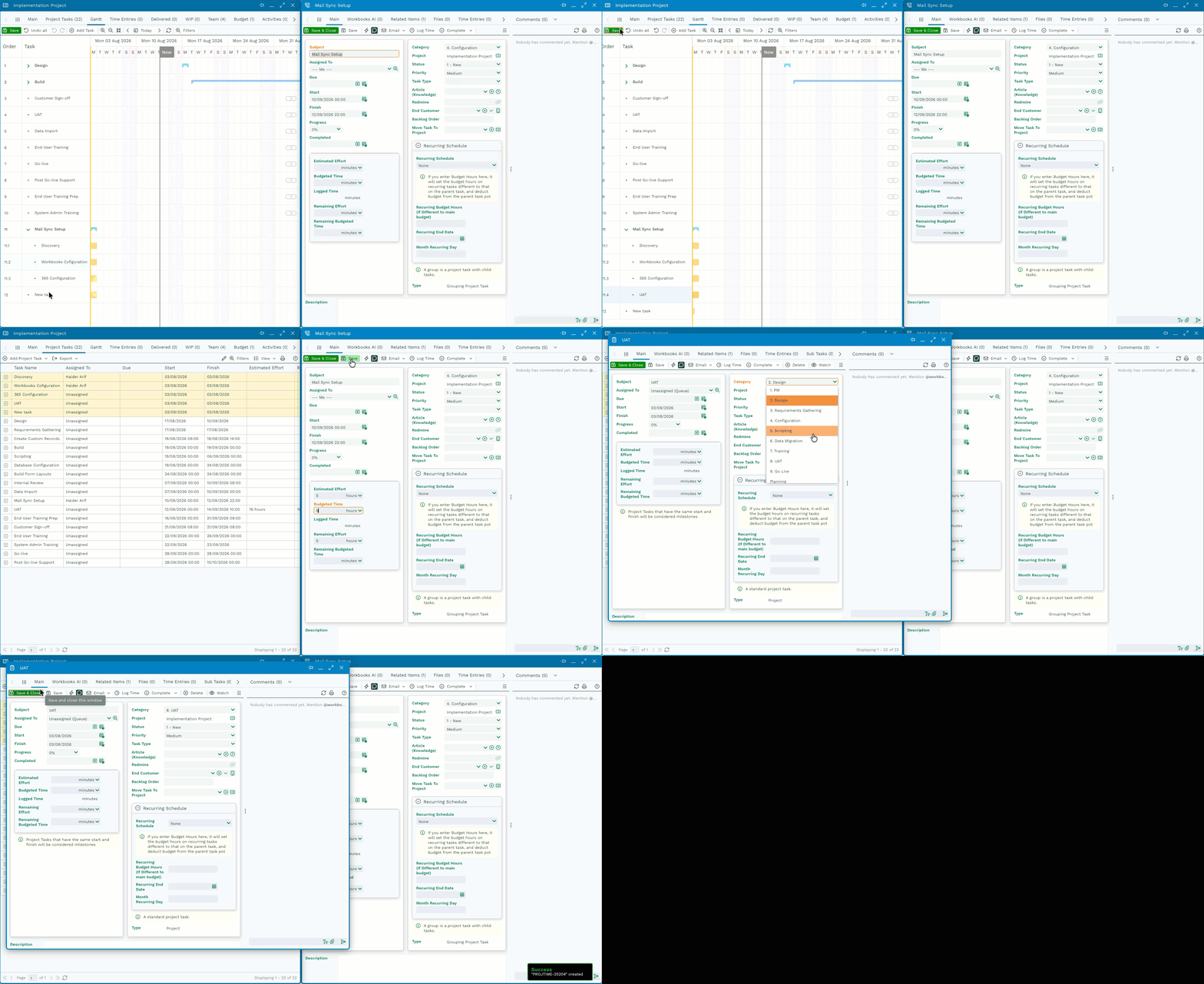
In this approach Project Manager assigns a single Budget to a Parent Task and use Child tasks to organise and track the work.
| Task | Budget |
|---|---|
| MailSync Setup | 5 Hours |
| Discovery | Inherited |
| Workbooks Configuration | Inherited |
| 365 Configuration | Inherited |
| UAT | Inherited |
In this example:
- The budget is assigned to the MailSync Setup (Parent) task.
- The Child Tasks do not have individual budgets.
- Time logged against UAT (child) task is deducted from the parent task budget.
This approach provides a simple way to manage a shared budget across a group of related activities.
Managing Budgets at Child Task Level
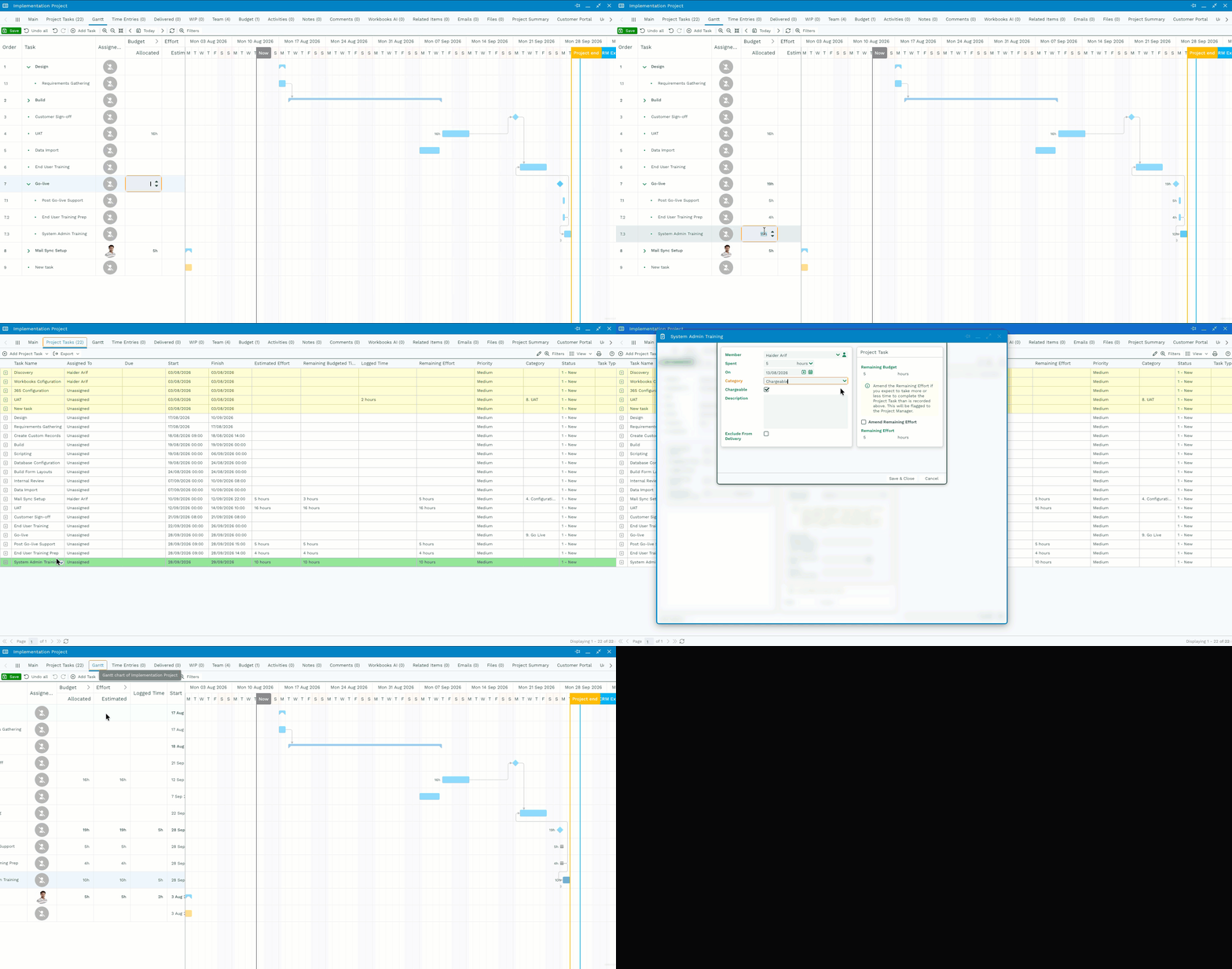
If you need more detailed control and visibility, budgets can be assigned directly to child tasks.
| Task | Budget |
|---|---|
| Go-Live | Rolled-up Total |
| Post Go-Live Support | 5 Hours |
| End User Training Prep | 4 Hours |
| System Admin Training | 10 Hours |
In this example:
- Each child task has its own budget.
- Time logged is deducted from the budget of the task where the work was performed.
- The parent task receives a rolled-up view of the budget and effort.
This approach provides more detailed budget tracking and makes it easier to identify where time is being spent
Understanding Budget Overruns
Budget overruns are displayed against the task that owns the budget.
When the Parent Task Holds the Budget
If one or more child tasks consume more effort than expected, the overrun is assessed against the overall budget held by the parent task. In this scenario, the overrun will be visible against the MailSync Setup task.
When Child Tasks Hold Budgets
If an individual child task exceeds its budget, the overrun is displayed directly on that task. This provides greater visibility into exactly which area of the project has exceeded its allocated effort.
Which Approach Should You Use?
Use a Parent-Level Budget When:
- You want a simple project structure.
- You are managing a shared budget across multiple activities.
- Individual task-level budget tracking is not required.
Use Child-Level Budgets When:
- You need detailed budget reporting.
- Different pieces of work have separate budget allocations.
- You want overruns to be visible on individual tasks.
Note
Once you have created a project structure and budget hierarchy that works for your organisation, consider saving it as a Project Template. This allows future projects to be created with a consistent task structure and budgeting approach.