









Accessing the Plugin
To install the Event Management Plugin, you will need to go to Start > Automation > Plugins, then select Add Plugin and choose ‘Script Library’, then the ‘Event Management’ option, then press Install.
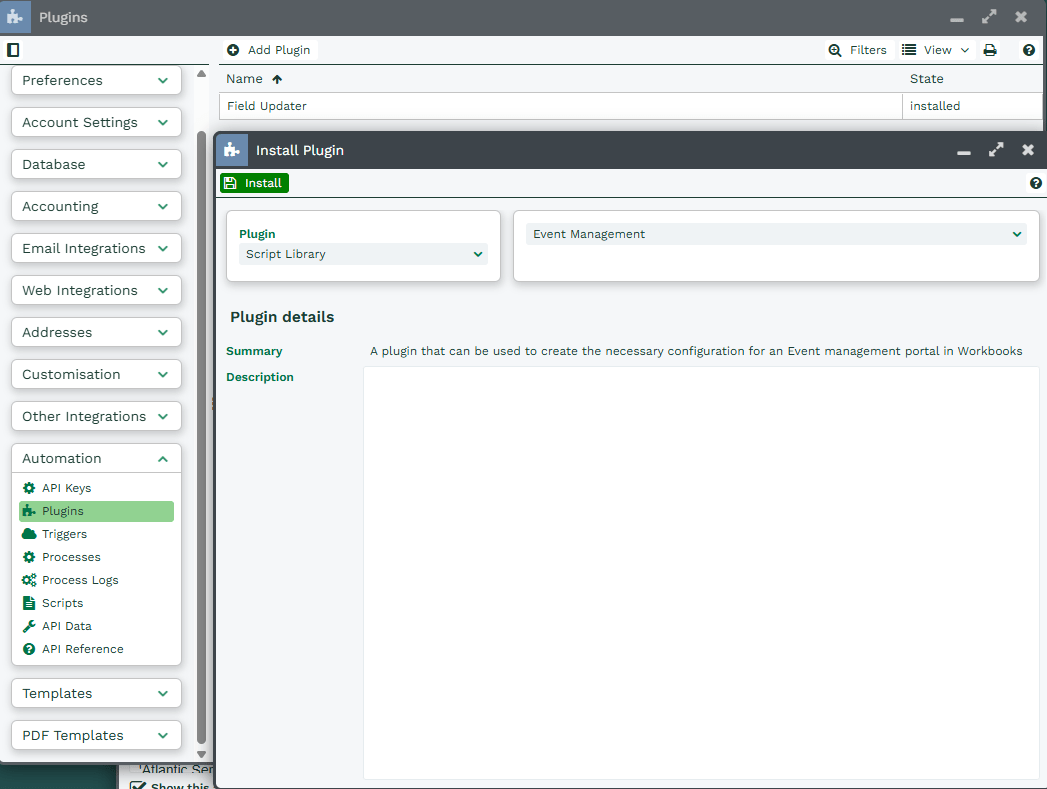
This will trigger the Plugin’s Install Wizard that you will need to complete fully in order to be able to setup all of the underlying Scripts, Processes and Configuration required to run your new Event Portal.
Uninstalling the Plugin
To uninstall the plugin you will need to go to Start > Configuration > Automation > Plugins then select the ‘Event Management’ plugin. Here you can then select uninstall which can be found in the top left corner.
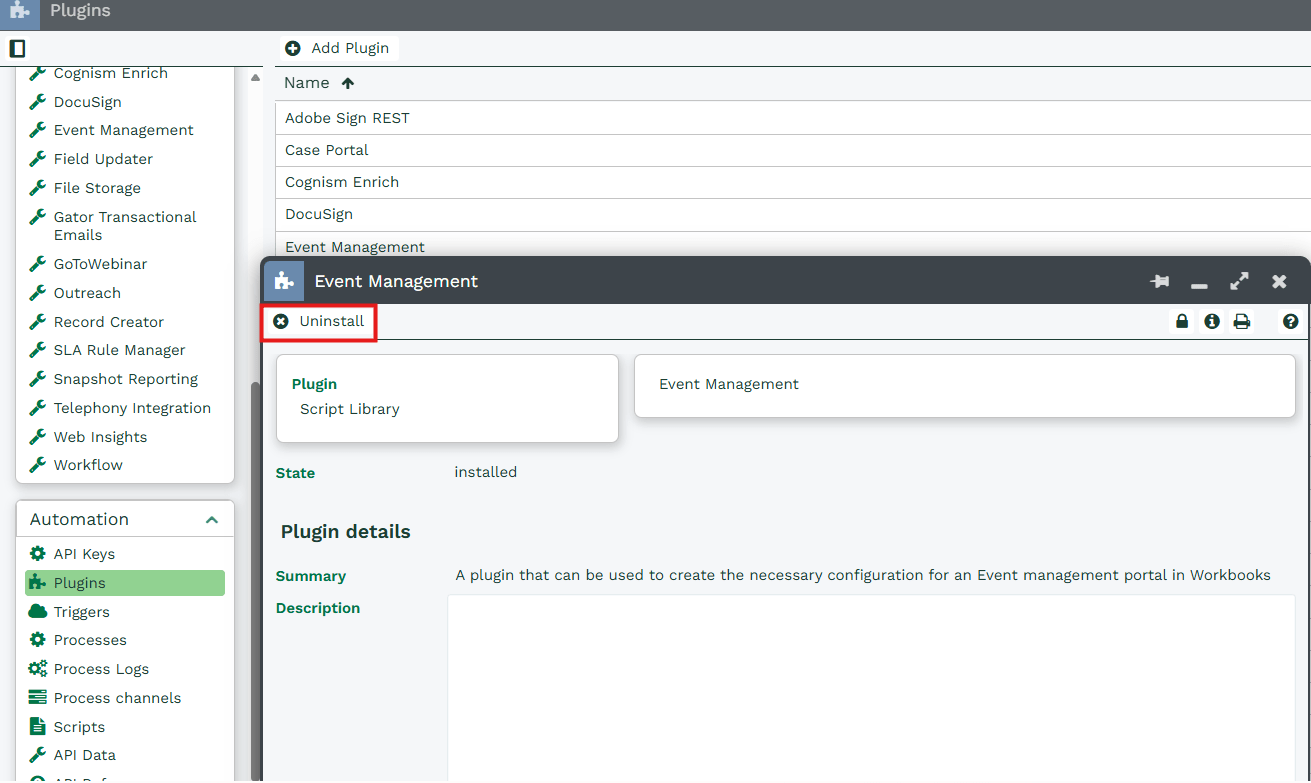
This will then prompt a confirmation box asking ‘Are you sure you want to uninstall the Event Management plugin?’ to confirm ‘Yes’ or ‘No’. Once removed, if you wish to reinstall the plugin at any time, you can do so by refollowing the instructions above.