









Create a DLI Custom Field to open Adobe Sign Tasks easily from your records
Note
Make sure you've installed the Adobe Sign plugin and completed the setup steps in our Adobe Sign installation guide.
When an Adobe Sign task is created, the button processes look for a Dynamic Linked Item (DLI) called Adobe Sign Task and automatically update it. This gives you a quick link to the related Adobe Sign task directly from the record, without having to search for it in the Activities tab.
The Adobe Sign plugin can’t create this DLI or its report automatically, so you’ll need to set them up manually.
You can either:
- Create the report from the TEMPLATE – Adobe Sign Tasks DLI template and start at Add the required columns
- Build the report yourself by following all the steps below
Create the Report
Create a report based on Activities with:
- The Activity ID column
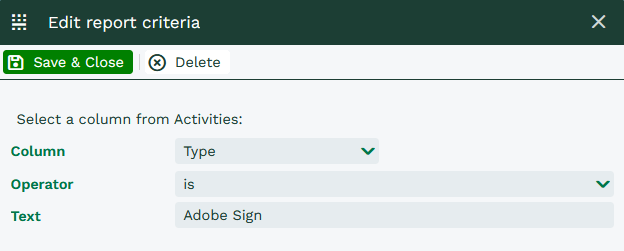
- A constraint for Activities where the Type is Adobe Sign
The Adobe Sign activity type is created automatically when you install the plugin.
Add the required columns
Add the Adobe Sign Document URL column to the report. This custom field is also created automatically by the plugin.
You can add other columns if you’d like them displayed in the DLI field, such as:
- Object Reference
- Subject
Create the Dynamic Linked Item field
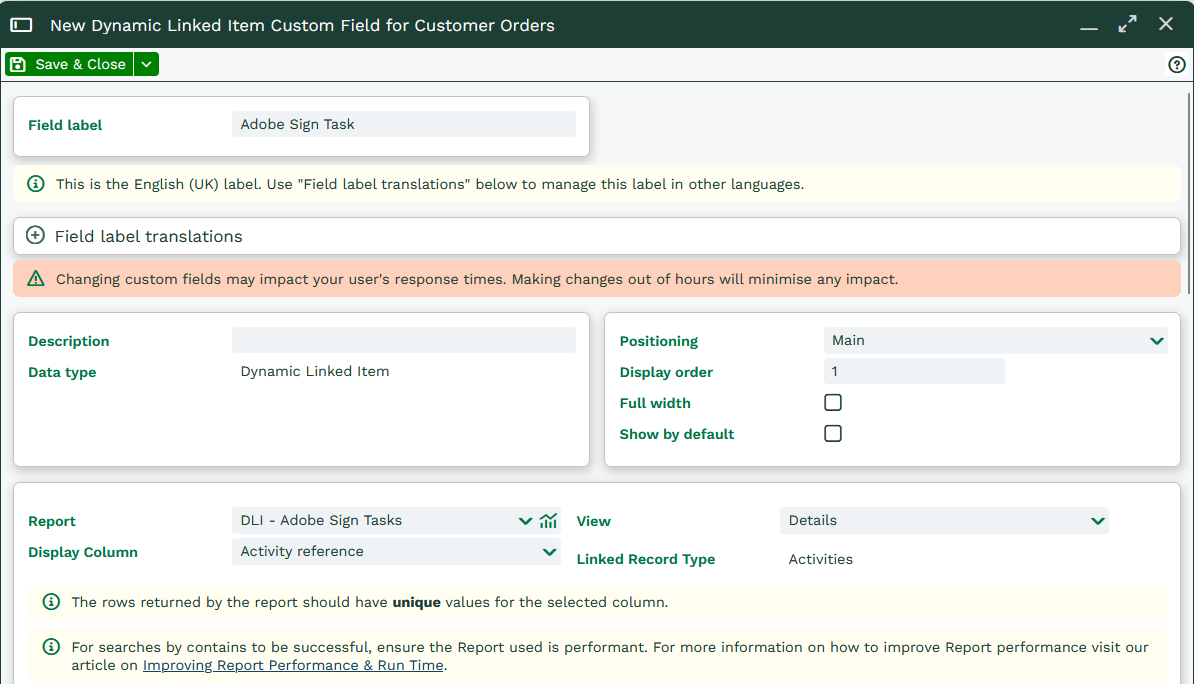
Create a custom field of type Dynamic Linked Item on the record type you want to use it on. In this example, that’s Customer Orders.
Configure the field as follows:
- Field name: Adobe Sign Task
- Report: the Report you created in the previous steps
- Display column: choose a column such as Object Reference or Subject
Make sure the display column exists in the report before selecting it.
Create the field mapping
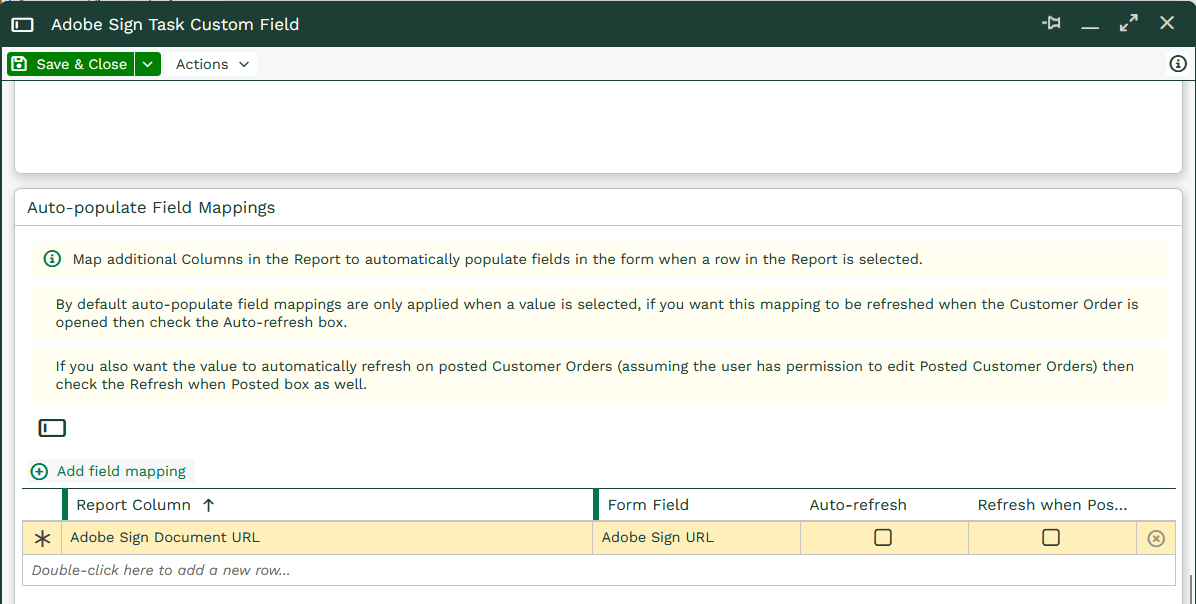
Create an Auto-populate Field Mapping for the Adobe Sign Document URL field.
Set the form field to Adobe Sign URL.
If you’d like to show the status of the Adobe Sign document on your records as a Report Cell, see: Create a Report Cell Custom Field to show the Adobe Sign Document Status for your records (Optional)