









Event Speakers as Webinar Panelists
Synchronise Event Speakers to GoToWebinar as Panelists
The GoToWebinar Plugin creates a Scheduled Process called “GoToWebinar – Create Panelists” as part of the installation. This process automatically registers Event Speakers as GoToWebinar Panelists for any Events that have been synchronised with GoToWebinar using the “Create Webinar” process outlined here.
The integration will find any Event Speaker that has an email address populated on the associated Person record in the “Email Address” standard Workbooks field. The Event Speaker record must also have the “Published” checkbox set to TRUE.
Note
Custom Fields, or the Alternate Email address field are not supported, and will not work for this process. The Event Attendee will be ignored.
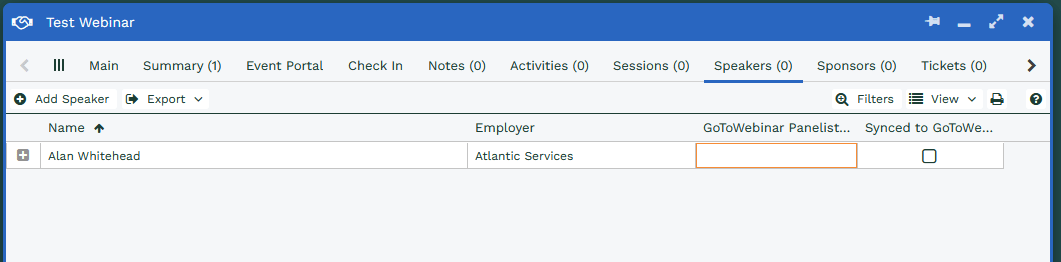
Upon successful registration, each Speaker will receive an email from GoToWebinar with details of how to join the Webinar as a Panelist and a summary of the Webinar they have been registered to. The content of the registration email can be configured directly in GoToWebinar as required, unless it has been switched off during creation. The GoToWebinar integration sets these fields on each Event Speaker:
| # | Workbooks Field | Value |
|---|---|---|
| 1 | Synced to GoToWebinar | TRUE |
| 2 | GoToWebinar Panelist Key | Id returned from GoToWebinar |