It is possible to create new People from the People Landing Page, or from the Person tab of an Organisation so that it automatically populates the Employer.



There are two ways to add a contact to Outlook:
To synchronise Outlook contacts with Workbooks consider upgrading your licence to include the Workbooks Outlook Connector.
From a Person record - open the relevant Person record and click Download 
or:
From a People Landing Page - open the People Landing Page and navigate to the view that contains the Person record you want to export to Outlook. Click on the Download button  at the end of the relevant row.
NOTE: You may see a browser prompt asking if you want to leave your current page. Click yes (or the equivalent) to accept this.
Both methods will download a vCard for the relevant Person. Click on it to open a card like the one below. If you want to modify any details you can do so, then click Save & Close. This adds the contact to your Outlook contacts.
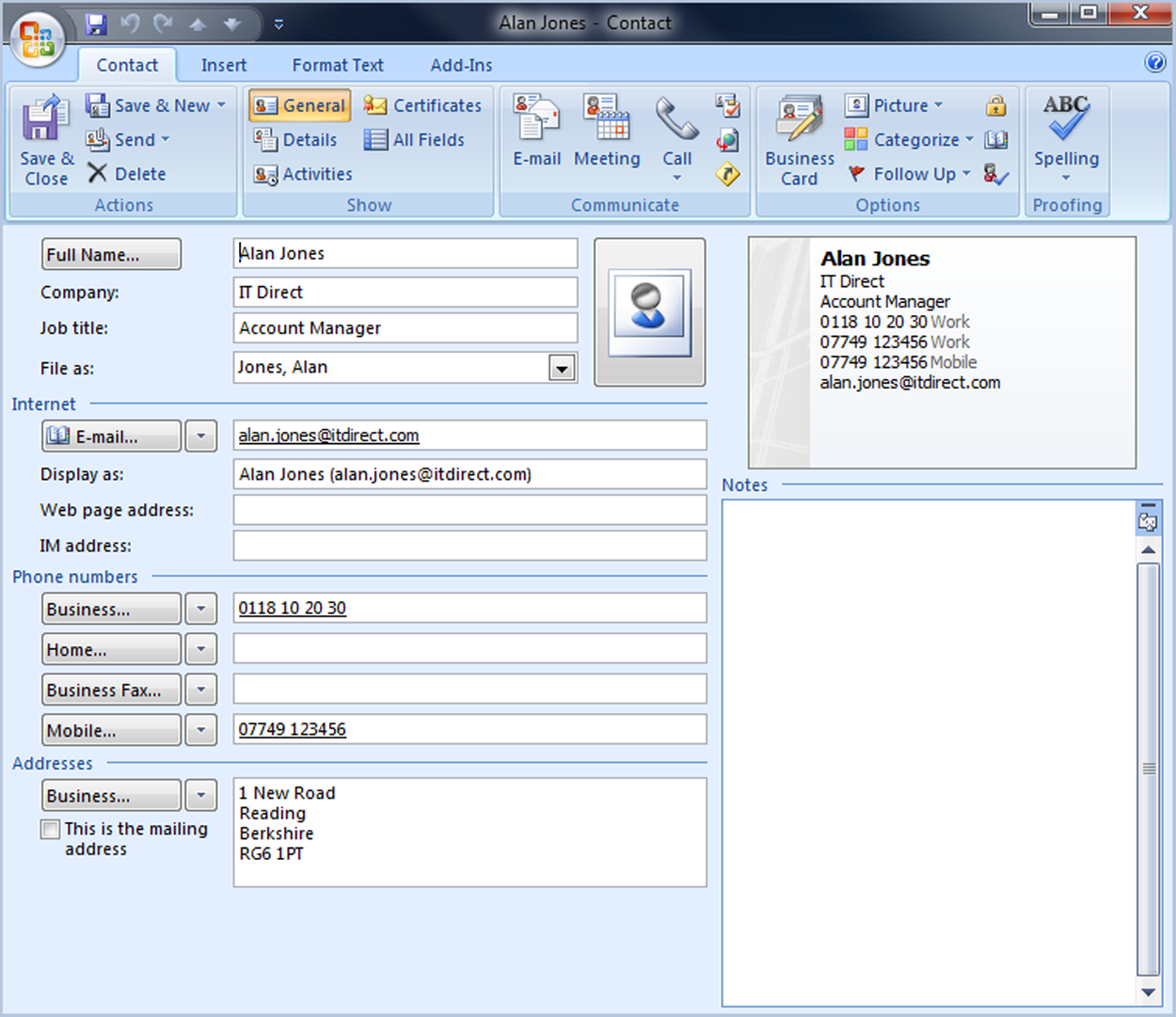
If the contact already exists within your Outlook contacts, you'll receive a prompt asking if you want to add the Person as a new contact or update the information that already exists in Outlook. Choose your preferred option and click Update.