









Relationships
An introduction summarising why you may want to create relationships and what types of records the relationships can be between.
Tip
Click on the Add Relationship button in the People or Organisations tabs to explore the different relationships Workbooks can record for you.
Workbooks enables you to store information about your business contacts. Whilst it is possible to store these records independently of one another, it is much more likely that you will want to create relationships between them, so that you can build up a richer picture of the world in which you are operating and use the information you have about the inter-relationships of your contacts to help you operate more efficiently and knowledgeably.
Workbooks has been designed to allow you to track relationships between different records on your database quickly and easily. These relationships can be between:
- People (for example Manager of/Works for).
- Organisations (for example Supplier to/Customer, Parent of/Subsidiary of, etc).
- People and Organisations (for example Employee of/Employer of).
You can record multiple relationships to reflect real-life situations and can control whether the relationships you record are with your Own Organisation (a direct relationship) or are between other records on your database (third party relationships). In addition, you can also record Relationships with Transaction Documents.
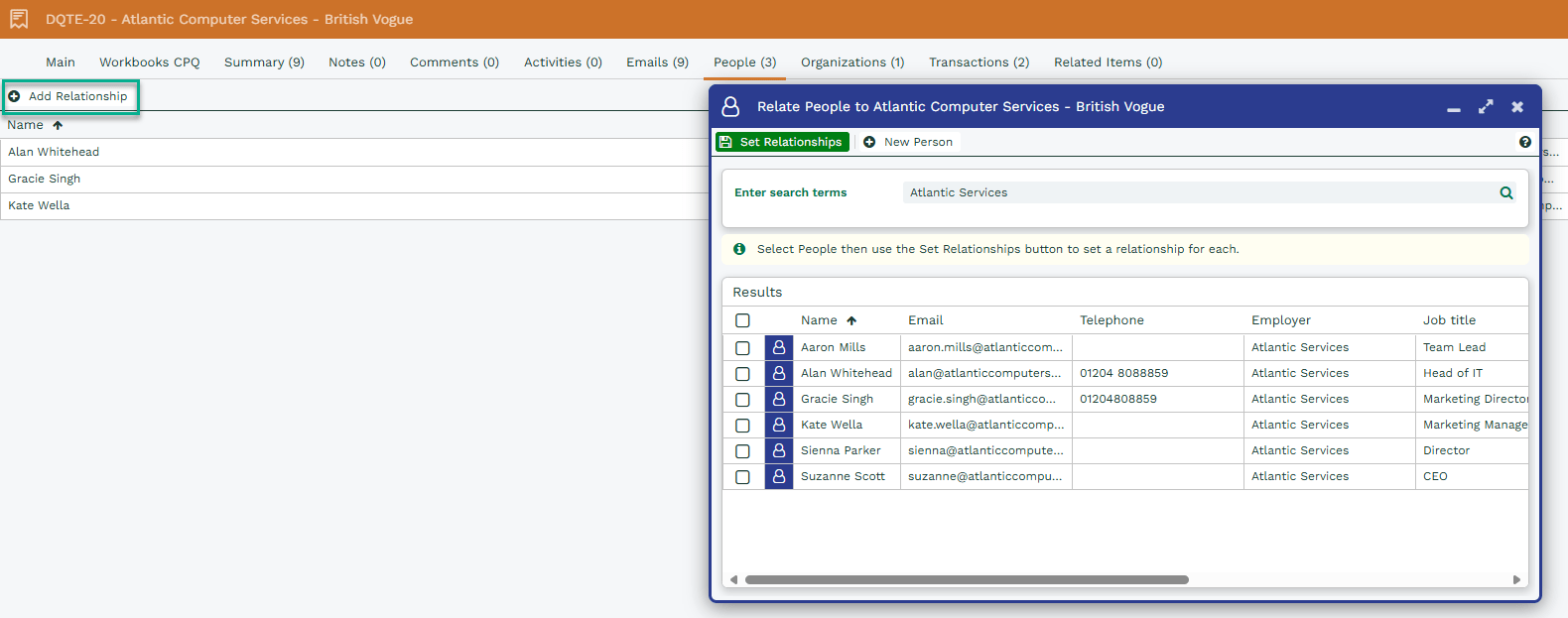
If we take this Quotation for example, on the People tab click Add Relationship and you can select from all People currently associated with the Organisation, or add a New Person:
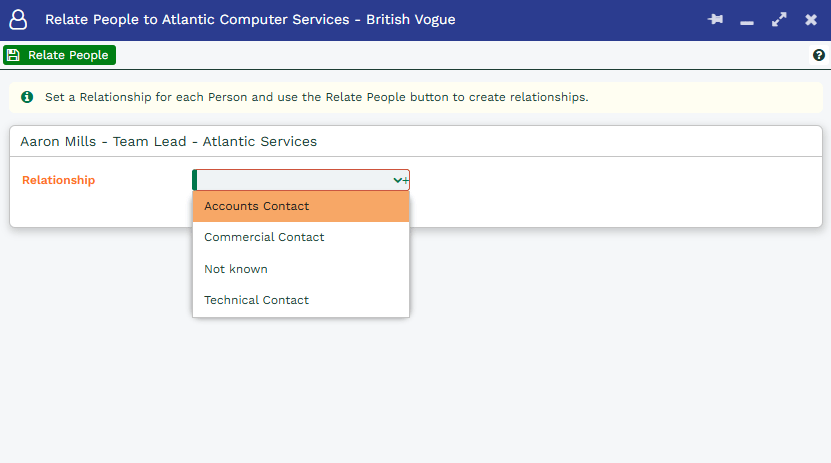
Picking a Person then clicking Set Relationships brings up a new window that allows you to choose from your existing relationships, and then Relate People creates the relationship:
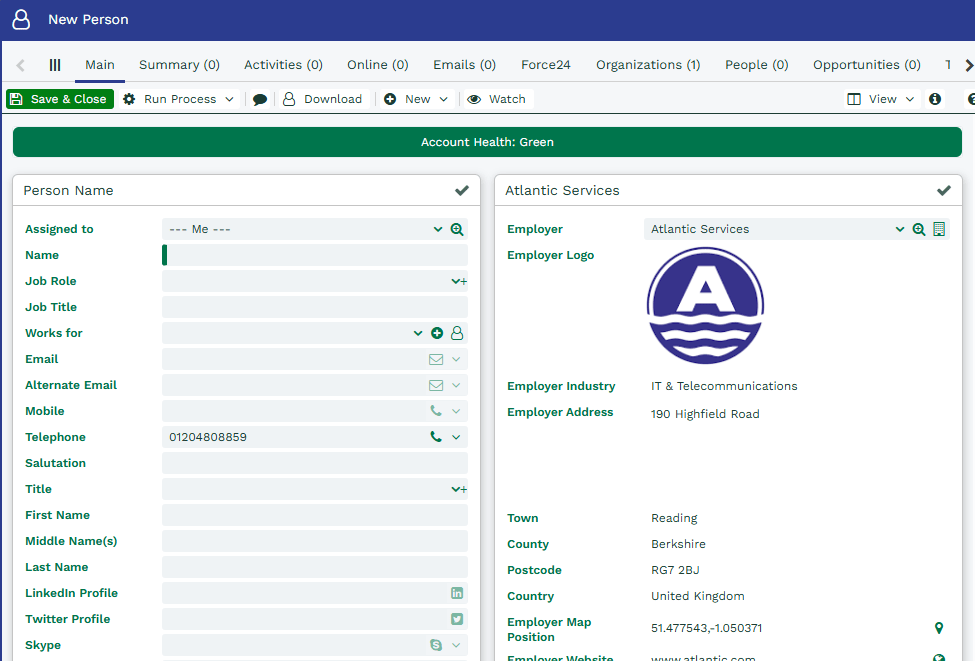
Alternatively, clicking New Person brings up a blank Person record for you to fill out, and Save & Close creates the Person as well as the Relationship to the Quotation.
As well as on transaction documents, this same principles apply when adding new People to Organisations, Cases and Opportunities.
It might be helpful, for example, to record that a particular person on your database is an Influencer in an Opportunity, so that you can factor this into your sales strategy, and engage their support in winning the deal, or record that someone is the Technical Contact within a Customer Contract, so you know who to contact about technical aspects of that Contract.
There are a few relationship types already set up within Workbooks, but you can also create your own custom Party Relationships; see here for more information.